Elementor addon: 120+ widgets & templates — Elementor Gallery, Mega Menu, Slider, Form, Post Grid, Accordion, Header Footer Builder & WooCommerce.
★ 4.9/5 (4,133)1,000,000+ active installations
- Version
- 6.8.9
- WordPress
- 5.3+
- PHP
- 7.0+
- Updated
- 15 Nov 2026
View plugin details ↗Lightweight, scalable and full-featured event listings & management plugin for managing events & tickets from the Frontend and Backend.
★ 4.0/5 (251)20,000+ active installations
- Version
- 3.4.2
- WordPress
- 6.5+
- PHP
- 7.6+
- Updated
- 30 Oct 2026
View plugin details ↗Appointment scheduling & event booking plugin for WordPress. Let clients self-schedule 24/7, register for events, and pay at booking.
★ 4.9/5 (109)100,000+ active installations
- Version
- 5.7.10
- WordPress
- 6.5+
- PHP
- 7.4+
- Updated
- 19 Nov 2026
View plugin details ↗PublishPress Planner has all the tools you need to plan WordPress content including a Content Calendar, Content Overview, and Kanban Board.
★ 4.9/5 (178)6,000+ active installations
- Version
- 4.9.0
- WordPress
- 5.5+
- PHP
- 8.2+
- Updated
- 16 Nov 2026
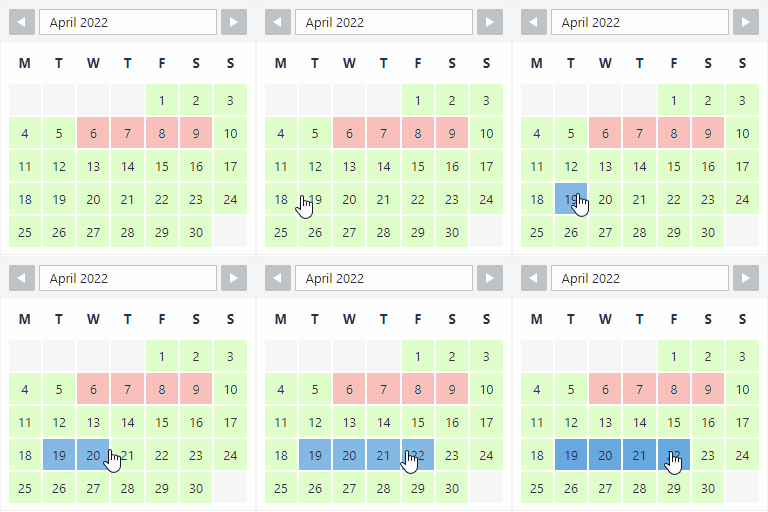
View plugin details ↗The booking calendar plugin for WordPress. Get easy online booking with this lightweight and powerful booking calendar.
★ 4.9/5 (344)10,000+ active installations
- Version
- 2.1.0.8
- WordPress
- 4.7+
- PHP
- 5.6+
- Updated
- 10 Nov 2026
View plugin details ↗Automatically create searchable and sortable tables of your posts.
★ 4.6/5 (19)3,000+ active installations
- Version
- 1.4.15
- WordPress
- 6.1+
- PHP
- 7.4+
- Updated
- 2 Nov 2026
View plugin details ↗Automate SEO and content with dynamic shortcodes for dates, years, months, age calculations, seasons and countdowns in content, titles and meta.
★ 5.0/5 (18)8,000+ active installations
- Version
- 1.8.1
- WordPress
- 6.5+
- PHP
- 7.4+
- Updated
- 27 Aug 2026
View plugin details ↗Super Simple Event Calendar is an event calendar for people who just want something simple for events.
★ 5.0/5 (5)600+ active installations
- Version
- 2.1.5
- WordPress
- 4.1+
- PHP
- 7.0+
- Updated
- 28 Sep 2026
View plugin details ↗Build WordPress blog, magazine, news, archive and single-post layouts with Elementor post grid, carousel, slider and list widgets.
★ 4.8/5 (58)30,000+ active installations
- Version
- 4.6.2
- WordPress
- 6.8+
- PHP
- 7.4+
- Updated
- 19 Nov 2026
View plugin details ↗This plugin is deprecated. Events Block is now included in Events Shortcodes For The Events Calendar. Please install that plugin instead.
★ 3.6/5 (7)2,000+ active installations
- Version
- 1.4.10
- WordPress
- 6.0+
- PHP
- 7.2+
- Updated
- 4 Nov 2026
View plugin details ↗Embedded Google Calendars that don't suck.
★ 4.6/5 (20)4,000+ active installations
- Version
- 2.2.1
- WordPress
- 3.0+
- Updated
- 4 Jan 2026
View plugin details ↗An availability calendar for WooCommerce Bookings — a block and a shortcode, the spots left on every slot, and booking right from the calendar.
★ 5.0/5 (4)300+ active installations
- Version
- 1.1.1
- WordPress
- 4.8+
- Updated
- 16 Nov 2026
View plugin details ↗