Dynamic Widgets gives you full control on which pages a widget will display. It lets you dynamicly show or hide widgets on WordPress pages.
★ 4.7/5 (109)10,000+ active installations
- Version
- 1.7.0
- WordPress
- 3.0.0+
- PHP
- 5.2.7+
- Updated
- 17 Nov 2026
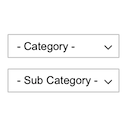
View plugin details ↗Displays product categories as dependent drop-down selects.
★ 4.7/5 (12)800+ active installations
- Version
- 1.0.0
- WordPress
- 4.7+
- Updated
- 16 Nov 2026
View plugin details ↗Tags, Categories and WordPress terms are easy with PublishPress Taxonomies. Add a Tag or Category to Pages, manage your WooCommerce Categories and Tag …
★ 4.6/5 (195)40,000+ active installations
- Version
- 4.0.2
- WordPress
- 6.7+
- PHP
- 8.2+
- Updated
- 17 Nov 2026
View plugin details ↗Display Category based Product Listing for WooCommerce in tab format on any page. Woocommerce category list and woocommerce product table.
★ 4.9/5 (28)1,000+ active installations
- Version
- 2.7.5
- WordPress
- 5.2+
- PHP
- 5.6+
- Updated
- 14 Sep 2026
View plugin details ↗Add an image to a category or taxonomy. Display a category image using either a template tag or a shortcode.
★ 5.0/5 (3)300+ active installations
- Version
- 1.1.2
- WordPress
- 5.0+
- PHP
- 7.4+
- Updated
- 15 Sep 2026
View plugin details ↗Display WooCommerce product categories in responsive sliders and grids to boost navigation, engagement, and product discovery.
★ 4.1/5 (9)700+ active installations
- Version
- 1.7.2
- WordPress
- 5.0+
- Updated
- 13 Aug 2026
View plugin details ↗Simple Mailchimp subscription form to your lists and groups.
★ 4.6/5 (9)4,000+ active installations
- Version
- 2.2.0
- WordPress
- 6.9+
- PHP
- 7.4+
- Updated
- 5 Nov 2026
View plugin details ↗The Events Calendar: #1 calendar plugin for WordPress. Create/manage events (virtual too!) on your site with the free plugin.
★ 4.2/5 (2,467)600,000+ active installations
- Version
- 6.18.4.1
- WordPress
- 6.9+
- PHP
- 7.4+
- Updated
- 19 Nov 2026
View plugin details ↗HappyAddons packs Header Footer Builder, Megamenu, Single Post, Archive Page, & 500+ Ready Templates into one powerful Elementor Addons plugin.
★ 4.8/5 (489)400,000+ active installations
- Version
- 3.52.0
- WordPress
- 6.8+
- PHP
- 8.1+
- Updated
- 18 Nov 2026
View plugin details ↗Flexible sidebars for custom classic widget configurations on any page or post. Create custom sidebars with ease!
★ 4.7/5 (1,028)100,000+ active installations
- Version
- 3.38
- WordPress
- 4.6+
- PHP
- 5.6+
- Updated
- 16 Aug 2026
View plugin details ↗This WordPress Plugin Adds Contact Form 7 widget element to Elementor page builder for easy drag & drop the created contact forms with CF7 (contac …
★ 4.9/5 (103)10,000+ active installations
- Version
- 2.4.3
- WordPress
- 4.4+
- Updated
- 18 Aug 2026
View plugin details ↗A recent posts widget you can filter by post type, post format, category, tag and author.
★ 5.0/5 (1)300+ active installations
- Version
- 1.4.3
- WordPress
- 5.6+
- PHP
- 7.4+
- Updated
- 7 Nov 2026
View plugin details ↗