Want to boost sales & marketing efforts? Use your favorite forms & builder. Unlimited popups & impressions, keep your data, no monthly subscription.
★ 4.9/5 (4,518)600,000+ active installations
- Version
- 1.25.0
- WordPress
- 6.7+
- PHP
- 7.4+
- Updated
- 11 Sep 2026
View plugin details ↗The best WordPress backup and migration plugin. Quickly and easily backup ,migrate, copy, move, or clone your site from one location to another.
★ 4.9/5 (4,941)1,000,000+ active installations
- Version
- 5.2.0
- WordPress
- 6.2+
- PHP
- 7.4+
- Updated
- 16 Nov 2026
View plugin details ↗Easy Drag & Drop Page Builder. A complete solution to create a WordPress Website, Custom Themes, Landing Pages, Coming Soon & Maintenance Mode Pages.
★ 4.9/5 (4,699)600,000+ active installations
- Version
- 6.20.13
- WordPress
- 5.0+
- PHP
- 5.6+
- Updated
- 17 Nov 2026
View plugin details ↗YITH WooCommerce Color and Label Variations replaces the dropdown select of your variable products with Colors and Labels
★ 3.6/5 (22)8,000+ active installations
- Version
- 2.33.0
- WordPress
- 6.9+
- PHP
- 8.0+
- Updated
- 3 Nov 2026
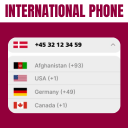
View plugin details ↗The plugin helps you in creating a country drop-down list with country flag.
★ 5.0/5 (6)4,000+ active installations
- Version
- 1.5.7
- WordPress
- 2.0+
- PHP
- 5.2+
- Updated
- 24 Sep 2026
View plugin details ↗Trusted by 60M+ sites: The gold standard for WordPress migration and backup. Migrate, backup, and restore your WordPress site with one click.
★ 4.5/5 (7,678)5,000,000+ active installations
- Version
- 7.113
- WordPress
- 3.3+
- PHP
- 5.3+
- Updated
- 27 Oct 2026
View plugin details ↗Make your WordPress site multilingual - each language with its own URL, and an easy interface to enter your translations.
★ 4.5/5 (228)8,000+ active installations
- Version
- 3.0.7
- WordPress
- 6.9+
- PHP
- 7.4+
- Updated
- 13 Nov 2026
View plugin details ↗With Currency Exchange for WooCommerce you can easily setup exchange to any currencies in WooCommerce.
★ 4.9/5 (30)500+ active installations
- Version
- 3.8
- WordPress
- 5.0+
- PHP
- 7.4+
- Updated
- 18 Nov 2026
View plugin details ↗This plugin allows you to create multiple, dynamic widget areas, and assign those widget areas to sidebar locations within the Genesis Framework on a …
★ 4.4/5 (27)10,000+ active installations
- Version
- 2.2.3
- WordPress
- 4.7.3+
- Updated
- 2 Jun 2026
View plugin details ↗FREE WordPress Security: firewall, two factor authentication (2FA), security headers, login, malware and password protection, scanner, activity log
★ 5.0/5 (26)4,000+ active installations
- Version
- 3.0.14
- WordPress
- 6.2+
- PHP
- 7.4+
- Updated
- 18 Nov 2026
View plugin details ↗Take full control of your WordPress admin bar: hide items, reorder menus, and design a cleaner toolbar for every user.
★ 4.4/5 (24)3,000+ active installations
- Version
- 1.1.12
- WordPress
- 5.0+
- PHP
- 7.0+
- Updated
- 15 Oct 2026
View plugin details ↗Ozh' Admin Drop Down Menu + WordPress Toolbar & Admin Menu Fixed to the Top and Side of the Admin Screens. Less Scrolling!
★ 4.3/5 (3)100+ active installations
- Version
- 1.5
- WordPress
- 3.5+
- Updated
- 2 May 2026
View plugin details ↗