

Instruct your visitors to choose their country code when entering their mobile number to ensure accurate and correctly formatted data submissions.
★ 5.0/5 (4)1,000+ active installations
- Version
- 1.0.8
- WordPress
- 6.0+
- PHP
- 7.4+
- Updated
- 3 Sep 2026
WORDPRESS RESOURCES
Explore public plugin information from the official WordPress.org directory. Compare what a plugin does, its requirements and update history before adding it to your website.
Explore WordPress hosting →10,000 matching plugins reported by WordPress.org · Page 4 of 50
Source: WordPress.org
Data refreshed 21 Nov 2026 11:45 UTC
Instruct your visitors to choose their country code when entering their mobile number to ensure accurate and correctly formatted data submissions.
Easily add a range of custom fields to WooCommerce products, from text boxes to date selectors, allowing customers to personalize their orders.

By Narinder Singh
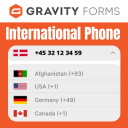
Add country drop down with flags and phone number with country phone extension fields in contact form 7.
By add-ons.org
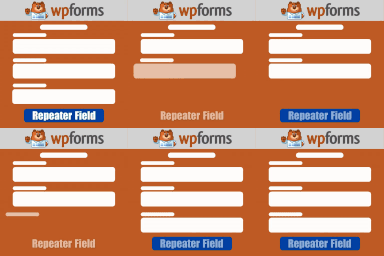
The Repeater Fields for WPForms allow you to create one or more sets of fields that can be repeated.
Add conditional fields to Elementor forms and apply if-else conditional logic to show or hide Elementor form widget fields via dynamic rules.
By Rodrigo Bogdanowicz
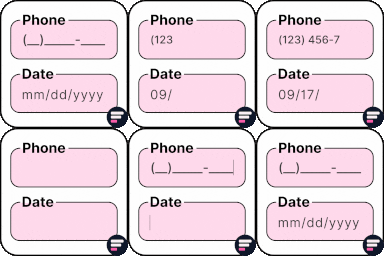
Apply input masks in Elementor form widget fields - phone, date, time, credit card, CPF, CNPJ, CEP & more for valid and error-free entries.

By Coding Panda
Repeater fields for the Pods Framework. Add repeatable fields to pages.
By add-ons.org
The plugin helps you in creating a country drop-down list with country flag.

By WooCommerce
Accept debit and credit cards in 135+ currencies, many local methods like Alipay, ACH, and SEPA, and express checkout with Apple Pay and Google Pay.

By Florian Eickhorst
Show your Advanced Custom Fields (ACF) in columns for posts, pages, taxonomies, and users in the Wordpress admin backend.

By tychesoftwares
Add product addons (fields) to WooCommerce products. Personalise with various product options for WooCommerce. Create product forms for WooCommerce.

By wpdesk
The Checkout Fields for Blocks plugin allows adding new fields to the checkout form.
CHOOSE WHAT YOUR WEBSITE NEEDS
Start with the task you need to solve. Compare features, WordPress and PHP requirements, update history and the author’s documentation. Test changes on a private copy and avoid adding several plugins for the same job.
This independent directory displays plugin information on WebFulHost and links to the official source. Packages are not mirrored or installed here. A plugin can include paid extensions or services with separate terms from its author.

