

Materialis Companion
By Horea Radu
The Materialis Companion plugin adds drag and drop page builder functionality to the Materialis theme.
★ 4.7/5 (10)5,000+ active installations
- Version
- 1.3.59
- WordPress
- 7.0+
- Updated
- 26 Nov 2026
WORDPRESS RESOURCES
Explore public plugin information from the official WordPress.org directory. Compare what a plugin does, its requirements and update history before adding it to your website.
Explore WordPress hosting →509 matching plugins reported by WordPress.org · Page 4 of 43
Source: WordPress.org
Data refreshed 28 Nov 2026 16:14 UTC
By Horea Radu
The Materialis Companion plugin adds drag and drop page builder functionality to the Materialis theme.
Elementor addon: 120+ widgets & templates — Elementor Gallery, Mega Menu, Slider, Form, Post Grid, Accordion, Header Footer Builder & WooCommerce.

By A WP Life
A Coming Soon and Maintenance Mode plugin to manage your site's availability with responsive templates and SEO-friendly features.

By Weblizar - WordPress Themes & Plugin
Lightbox slider plugin is allow users to view larger versions of images, simple slide shows and Gallery view with Responsive grid layout.

By Themefic
50+ Essential Addons for Contact Form 7 - Conditional Fields, Multi Step, Redirection, Columns, WooCommerce, Mailchimp & more

By Melograno Venture Studio
Fast WordPress table and chart plugin. Connect multiple data sources, build responsive, searchable tables, and create manually or with AI.
Advanced yet easy, Gutenberg editor page builder blocks. Create a masterpiece, pixel perfect website using modern WordPress Gutenberg blocks.
Get leads with a floating contact form tab, chat & social buttons like Facebook Messenger, WhatsApp, Viber, Telegram, Twitter, Instagram & more 🎉

By WPManageNinja
Feature Rich and Super Fast Support and Customer Ticketing System for WordPress.

By quadlayers
Responsive mega menu plugin for WordPress with customizable layouts and an intuitive drag-and-drop builder.
Gutenberg block editor with AI. 70+ Gutenberg blocks, patterns, WooCommerce blocks, post grid, gallery, menu with Gutenberg block library.
By Jelle Roorda
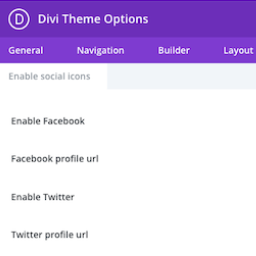
This plugin adds the ability to add more social icons to your website when using the Divi theme.
CHOOSE WHAT YOUR WEBSITE NEEDS
Start with the task you need to solve. Compare features, WordPress and PHP requirements, update history and the author’s documentation. Test changes on a private copy and avoid adding several plugins for the same job.
This independent directory displays plugin information on WebFulHost and links to the official source. Packages are not mirrored or installed here. A plugin can include paid extensions or services with separate terms from its author.



