

Elementor addons with 230+ Elementor widgets, WooCommerce elements, Elementor templates, mega menu, header footer builder and extensions.
★ 4.7/5 (284)100,000+ active installations
- Version
- 10.0.17
- WordPress
- 6.8+
- PHP
- 7.4.0+
- Updated
- 26 Nov 2026
WORDPRESS RESOURCES
Explore public plugin information from the official WordPress.org directory. Compare what a plugin does, its requirements and update history before adding it to your website.
Explore WordPress hosting →6,050 matching plugins reported by WordPress.org · Page 4 of 50
Source: WordPress.org
Data refreshed 27 Nov 2026 20:02 UTC
Elementor addons with 230+ Elementor widgets, WooCommerce elements, Elementor templates, mega menu, header footer builder and extensions.
HappyAddons packs Header Footer Builder, Megamenu, Single Post, Archive Page, & 500+ Ready Templates into one powerful Elementor Addons plugin.
Design and send custom emails with Email Templates plugin for WordPress and WooCommerce
LoginPress is a Custom Login Page Customizer plugin allows you to easily customize the layout of login, admin login, client login, register pages.

By Wayne Allen
Postie allows you to create posts via email, including many advanced features not found in WordPress's default Post by Email feature.

By Video User Manuals
Customise dashboard panels and branding, hide menus plus lots more.
Add modules: share buttons, header/footer scripts, disable comments, reading progress, custom fonts, custom login & more in one plugin.

By jatacid
Adds a panel to the Theme Customizer to insert a Beaver Builder layout as a header/footer globally on each page.
Adds Google Analytics tracking code to your WordPress site. Supports many tracking features.

By Sina Extra
A collection of advanced features including Header & Footer Builder, Theme Builder, Popup Builder, 58 elements, 100+ free templates and more.
By Kamrul Hasan
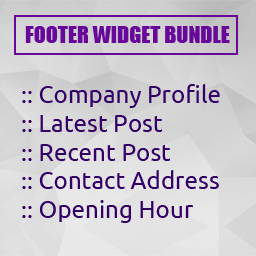
Footer widget bundle includes company information, latest post, contact address and opening hours.

By Olly Campion
Adds powerful customizer options to modify all aspects of the default WordPress theme Twenty Twenty-One.
CHOOSE WHAT YOUR WEBSITE NEEDS
Start with the task you need to solve. Compare features, WordPress and PHP requirements, update history and the author’s documentation. Test changes on a private copy and avoid adding several plugins for the same job.
This independent directory displays plugin information on WebFulHost and links to the official source. Packages are not mirrored or installed here. A plugin can include paid extensions or services with separate terms from its author.




