Disable admin notices and hide dashboard notifications from plugins, themes and core. Hide all notices, selected ones, or show them in a single line.
★ 4.7/5 (367)100,000+ active installations
- Version
- 1.4.9
- WordPress
- 5.6+
- PHP
- 7.4+
- Updated
- 28 Oct 2026
View plugin details ↗Hides the WordPress toolbar (admin bar) for all non-admin users. Simple plugin with no settings to configure.
★ 4.3/5 (30)10,000+ active installations
- Version
- 1.0.2
- WordPress
- 5.2+
- Updated
- 13 Aug 2026
View plugin details ↗Create unlimited folders with the Folders WordPress plugin, organize & manage your Media Library files, Pages & Posts in folders 📁
★ 5.0/5 (1,529)90,000+ active installations
- Version
- 3.3.1
- WordPress
- 4.7+
- Updated
- 5 Nov 2026
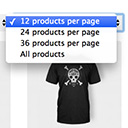
View plugin details ↗Products Per Page for WooCommerce is a easy-to-setup plugin that integrates a 'products per page' dropdown on your WooCommerce pages.
★ 4.8/5 (80)10,000+ active installations
- Version
- 1.2.10
- WordPress
- 5.0.0+
- Updated
- 31 Oct 2026
View plugin details ↗Post and Page Builder is a standalone plugin which adds functionality to the existing TinyMCE Editor.
★ 4.7/5 (140)50,000+ active installations
- Version
- 1.27.15
- WordPress
- 4.7+
- PHP
- 7.4+
- Updated
- 25 Sep 2026
View plugin details ↗Hide author archive URL of WordPress.
★ 5.0/5 (1)600+ active installations
- Version
- 1.3.0
- WordPress
- 6.6+
- PHP
- 7.4+
- Updated
- 16 Oct 2026
View plugin details ↗BlockStrap Page Builder - Bootstrap Blocks combines Bootstrap's power with the block editor's versatility.
★ 4.5/5 (4)2,000+ active installations
- Version
- 0.1.66
- WordPress
- 6.0+
- PHP
- 7.2+
- Updated
- 20 Nov 2026
View plugin details ↗Hide the WordPress admin bar by user role, block wp-admin access, redirect after login, and tidy the admin menu and notices for each role.
★ 3.9/5 (21)20,000+ active installations
- Version
- 7.5.0
- WordPress
- 5.5+
- PHP
- 5.6+
- Updated
- 12 Oct 2026
View plugin details ↗Hide the product's price, add-to-cart button, quantity, and options on any product and order. Inject an optional message.
★ 4.6/5 (14)3,000+ active installations
- Version
- 1.2.16
- WordPress
- 5.8+
- PHP
- 7.4+
- Updated
- 4 Feb 2026
View plugin details ↗Hide product prices and the Add to Cart button in WooCommerce with rule-based control. Perfect for B2B, wholesale, and catalog mode stores.
★ 5.0/5 (3)900+ active installations
- Version
- 1.0.5
- WordPress
- 6.2+
- PHP
- 7.4+
- Updated
- 13 Nov 2026
View plugin details ↗Automatically add a table of contents to your posts and pages, with smooth scrolling, anchor links, and simple styling options.
★ 4.5/5 (191)200,000+ active installations
- Version
- 202609.1
- WordPress
- 5.7+
- PHP
- 7.4+
- Updated
- 17 Sep 2026
View plugin details ↗Hide individual WordPress pages from search engines and/or WordPress searches, such as confirmation and download pages.
★ 4.4/5 (17)3,000+ active installations
- Version
- 1.1.8
- WordPress
- 6.0+
- PHP
- 7.4+
- Updated
- 3 Mar 2026
View plugin details ↗