

WP to LinkedIn Auto Publish
By f1logic
Publish posts automatically to LinkedIn.
★ 4.7/5 (59)800+ active installations
- Version
- 1.9.11
- WordPress
- 3.0+
- Updated
- 25 Jun 2026
WORDPRESS RESOURCES
Explore public plugin information from the official WordPress.org directory. Compare what a plugin does, its requirements and update history before adding it to your website.
Explore WordPress hosting →917 matching plugins reported by WordPress.org · Page 4 of 50
Source: WordPress.org
Data refreshed 21 Nov 2026 09:52 UTC
By f1logic
Publish posts automatically to LinkedIn.

By Editoria11y LLC
Content accessibility checker written to be intuitive and useful for non-technical authors and editors.

By Automattic
Easily add cloud-powered instant search and filters to your website or WooCommerce store with advanced algorithms that boost your search results based …

By Extend Themes
Using the power of AI, Kubio gives you a head start by generating a first draft of your website, which you can further customize to your liking.
Add, edit, hide and reorder WooCommerce checkout fields. 11 field types for Block Checkout and 20 for Classic Checkout, free. No code needed.
Maximize your WordPress site's potential with our versatile HTML5 Audio Player plugin. Seamlessly play .mp3, .wav, .ogg, and more audio files.

By echoplugins
Write articles and documents faster and more easily using our powerful and practical Elementor widgets.

By Rolf Allard van Hagen
Very lightweight (vanilla) Javascript that wraps search terms in an HTML5 mark tag within WordPress search results.
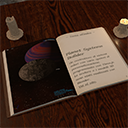
By Francesco Martini
Embed and display Ebooks in your website.

By Christoph Vielgrader
Relevanssi Light is a simple, quick and effective search improvement that replaces the default WP search with a fulltext index search.
Accessibility toolbar for WordPress in 44 languages: one-click setup, statement generator, no account, no visitor data. Helps with WCAG and the EAA.
A fully featured, easy-to-use documentation plugin with AI chat, search, FAQs, and quizzes. Build beautiful knowledge bases, docs, and wikis.
CHOOSE WHAT YOUR WEBSITE NEEDS
Start with the task you need to solve. Compare features, WordPress and PHP requirements, update history and the author’s documentation. Test changes on a private copy and avoid adding several plugins for the same job.
This independent directory displays plugin information on WebFulHost and links to the official source. Packages are not mirrored or installed here. A plugin can include paid extensions or services with separate terms from its author.



