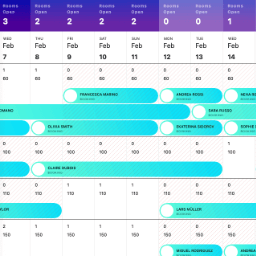
Simple Profit – Hotel Booking Toolkit
By simpleprofit
A modular hotel booking toolkit. Adds a configurable availability search widget to any WordPress site.
10+ active installations
- Version
- 1.0.15
- WordPress
- 6.3+
- PHP
- 8.2+
- Updated
- 22 Nov 2026
WORDPRESS RESOURCES
Explore public plugin information from the official WordPress.org directory. Compare what a plugin does, its requirements and update history before adding it to your website.
Explore WordPress hosting →108 matching plugins reported by WordPress.org · Page 4 of 9
Source: WordPress.org
Data refreshed 25 Nov 2026 17:03 UTC
By simpleprofit
A modular hotel booking toolkit. Adds a configurable availability search widget to any WordPress site.
Free 360 panorama viewer and virtual tour builder with 360 video, hotspots and Street View. Gutenberg, Elementor, WooCommerce, shortcode.

By Designinvento
DirectoryPress is most advanced and flexible directory listing plugin with wide range of features, You can build a business directory, classified list …

By Roland Oth
Generate commission free online bookings directly on your WordPress site by integrating the igumbi online booking tool/ IBE.

By wpassistbiz
Easily integrate the Mews Booking Engine into your WordPress site with shortcodes and a Gutenberg block.

By kimorapro
Hotel booking engine for WordPress: manage rooms, availability search and guest reservations, with pay-at-hotel payments and booking emails.
StayLodgic is a user-friendly property management system designed specifically for small to medium hotels, guesthouses, and vacation rentals.
Build WordPress directories with Business Data imports, maps, search, dashboards and analytics, plus AI and MCP workflows.
Hotel booking plugin for WordPress. Take direct room reservations with a live availability calendar, nightly rates, Stripe and zero overbooking.

By Syed Tarikul Islam
Hotel booking plugin with booking calendar, free Stripe & PayPal payments and an AI booking assistant. For hotels, B&Bs, guest houses and rentals.

By Abdullah Nahian
Enterprise Hotel Booking & Hospitality Management Engine built on 9 high-performance custom relational database tables.

By shawnhills
A comprehensive multi-scenario booking engine for restaurants, hotels, and service businesses. Works with Elementor, Divi, WPBakery, and Gutenberg.
CHOOSE WHAT YOUR WEBSITE NEEDS
Start with the task you need to solve. Compare features, WordPress and PHP requirements, update history and the author’s documentation. Test changes on a private copy and avoid adding several plugins for the same job.
This independent directory displays plugin information on WebFulHost and links to the official source. Packages are not mirrored or installed here. A plugin can include paid extensions or services with separate terms from its author.