Change Prices on Products with defined Times. Build scarcity so your customers won't be able to resist.
★ 5.0/5 (2)0+ active installations
- Version
- 1.1.0
- WordPress
- 4.7+
- PHP
- 7.2+
- Updated
- 8 Jun 2026
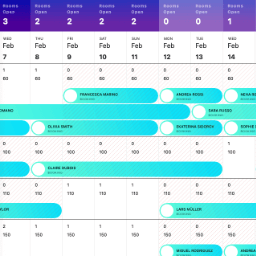
View plugin details ↗StayLodgic is a user-friendly property management system designed specifically for small to medium hotels, guesthouses, and vacation rentals.
★ 5.0/5 (1)10+ active installations
- Version
- 1.0.7
- PHP
- 7.4+
- Updated
- 5 Nov 2025
View plugin details ↗“Set Custom Order number” plugin helps to easily manage store order numbering using prefixes and suffixes to custom starting numbers and characters.
10+ active installations
- Version
- 1.0.11
- WordPress
- 6.0+
- PHP
- 7.4+
- Updated
- 21 Sep 2026
View plugin details ↗A dynamic counter plugin that increments by a random value every minute and saves it in the database for display anywhere on your site.
10+ active installations
- Version
- 1.3
- WordPress
- 5.6+
- PHP
- 7.4+
- Updated
- 12 Aug 2026
View plugin details ↗Find oversized images, large uploads, and heavy media in your WordPress media library.
10+ active installations
- Version
- 1.0.0
- WordPress
- 6.1+
- PHP
- 8.0+
- Updated
- 30 Jun 2026
View plugin details ↗order number for WooCommerce is the best plugin to generate sequential or custom order numbers for existing and new WooCommerce orders.
0+ active installations
- Version
- 1.0.0
- WordPress
- 6.2+
- PHP
- 7.4+
- Updated
- 7 Jun 2026
View plugin details ↗Easily customize WooCommerce order numbers with dynamic prefixes, suffixes, sequential counters, auto-resets, and separate formatting for free orders.
10+ active installations
- Version
- 1.0.5
- WordPress
- 5.9+
- Updated
- 17 Oct 2026
View plugin details ↗Set minimum, maximum and step purchase quantities per product, variation, category or storewide, plus cart item and order limits.
10+ active installations
- Version
- 1.1.2
- WordPress
- 6.0+
- PHP
- 7.4+
- Updated
- 16 Oct 2026
View plugin details ↗Add a fully customizable range slider field to your Contact Form 7 forms — with min/max range, tooltips, labels, and default value support.
30+ active installations
- Version
- 1.0
- WordPress
- 5.5+
- PHP
- 7.2+
- Updated
- 29 Jun 2026
View plugin details ↗WooCommerce auction plugin: turn any product into a live auction with bidding, countdown timers, reserve price, Buy It Now and automatic winners.
20+ active installations
- Version
- 1.3.1
- WordPress
- 6.2+
- PHP
- 7.4+
- Updated
- 16 Nov 2026
View plugin details ↗Easily control minimum, maximum, and step quantity increments for WooCommerce products.
10+ active installations
- Version
- 1.0.0
- WordPress
- 5.0+
- PHP
- 7.4+
- Updated
- 1 Jan 2026
View plugin details ↗Detect GPTBot, ClaudeBot, Gemini and 200+ AI crawlers. Track which AI bots scrape your content and block unwanted scrapers.
100+ active installations
- Version
- 1.3.2
- WordPress
- 5.0+
- PHP
- 7.4+
- Updated
- 17 Oct 2026
View plugin details ↗