Premium Blocks for Gutenberg: Free Gutenberg blocks packed with performance-optimized tools, global styling options, responsive controls, pre-built te …
★ 4.8/5 (41)2,000+ active installations
- Version
- 2.3.22
- WordPress
- 6.6+
- PHP
- 7.0+
- Updated
- 19 Nov 2026
View plugin details ↗Show team members, staff and sports rosters in grid, list, slider or table layouts. Shortcode generator, Gutenberg block and Elementor widget.
★ 4.6/5 (25)900+ active installations
- Version
- 2.7.0
- WordPress
- 6.2.0+
- PHP
- 8.0.0+
- Updated
- 27 Nov 2026
View plugin details ↗Post Grid is a powerful WordPress plugin for creating customizable post grid layouts with advanced query options, allowing users to display posts dyna …
★ 4.3/5 (163)20,000+ active installations
- Version
- 2.3.24
- WordPress
- 5.0.0+
- Updated
- 19 Jul 2026
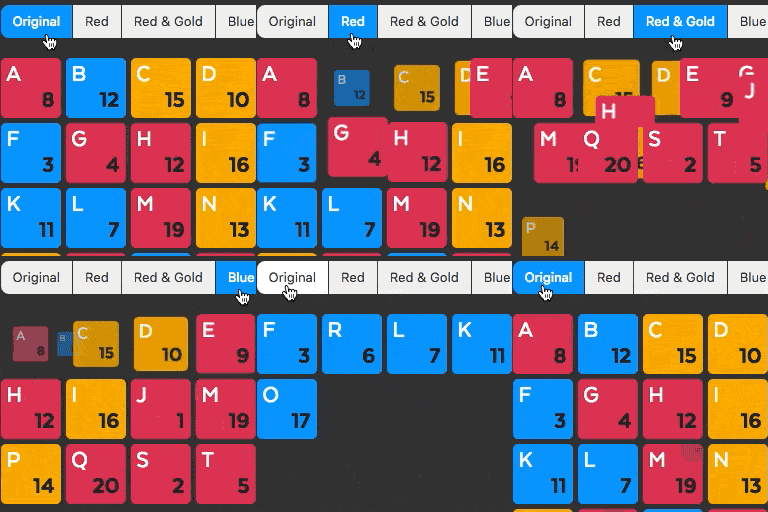
View plugin details ↗Very Simple Image Gallery with filter and load more
★ 5.0/5 (1)30+ active installations
- Version
- 1.1.0
- PHP
- 5.4+
- Updated
- 6 Apr 2025
View plugin details ↗Elementor widgets and page templates for WooCommerce: shop, product, cart, checkout, my account, plus AJAX catalog filters.
900+ active installations
- Version
- 1.0.3
- WordPress
- 6.5+
- PHP
- 7.4+
- Updated
- 26 Nov 2026
View plugin details ↗
By LogicRays Technologies
Display portfolio projects anywhere on your site with a simple shortcode. Responsive, filterable, and easy to configure.
0+ active installations
- Version
- 1.3
- WordPress
- 4.4+
- Updated
- 21 Aug 2026
View plugin details ↗Create stunning grids with Gutenberg. Display images, videos, and posts in masonry style. Customize columns, rows, lightbox, and more.
★ 5.0/5 (1)60+ active installations
- Version
- 1.0.7
- WordPress
- 5.9+
- PHP
- 7.4+
- Updated
- 4 Jun 2026
View plugin details ↗An accessibility-first portfolio and case-study post type — categories, tags and project details, built to WCAG. No lightboxes, no lock-ins.
★ 5.0/5 (1)0+ active installations
- Version
- 1.6.11
- WordPress
- 6.4+
- PHP
- 7.4+
- Updated
- 19 Oct 2026
View plugin details ↗Display your portfolio, posts, and product items in a grid with filterable
10+ active installations
- Version
- 2.0.4
- WordPress
- 5.0.0+
- PHP
- 5.2+
- Updated
- 10 Apr 2026
View plugin details ↗Extend Elementor with 30+ powerful widgets, dynamic content tools, custom form fields, and smart extensions - all in one plugin.
20+ active installations
- Version
- 1.0.5
- WordPress
- 6.8+
- PHP
- 7.4+
- Updated
- 23 Sep 2026
View plugin details ↗80+ Gutenberg blocks with Pro - sliders, grids, tabs, counters and more - plus a Header & Footer Builder, with per-device controls.
★ 5.0/5 (1)10+ active installations
- Version
- 1.1.2
- WordPress
- 6.6+
- PHP
- 7.4+
- Updated
- 26 Nov 2026
View plugin details ↗Browse posts/pages by their images, displayed randomly on an infinitely scrollable page. The images link back to where they are attached.
★ 4.9/5 (54)100+ active installations
- Version
- 3.2
- WordPress
- 3.5+
- Updated
- 19 Jun 2025
View plugin details ↗