

Create responsive, accessible tabs in minutes. Unlimited tabs, templates, Gutenberg block, shortcode and widget. Pro adds dynamic and nested tabs.
★ 4.0/5 (4)1,000+ active installations
- Version
- 3.0.0
- WordPress
- 5.8+
- PHP
- 7.2+
- Updated
- 11 Nov 2026
WORDPRESS RESOURCES
Explore public plugin information from the official WordPress.org directory. Compare what a plugin does, its requirements and update history before adding it to your website.
Explore WordPress hosting →2,013 matching plugins reported by WordPress.org · Page 4 of 50
Source: WordPress.org
Data refreshed 22 Nov 2026 17:01 UTC
Create responsive, accessible tabs in minutes. Unlimited tabs, templates, Gutenberg block, shortcode and widget. Pro adds dynamic and nested tabs.
By WP Darko
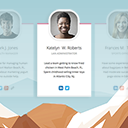
A responsive and clean way to display your team. Create members, add their positions, bios (and more...) and copy-paste the shortcode anywhere.

By matomoteam
Adds Matomo (former Piwik) statistics to your WordPress dashboard and is also able to add the Matomo Tracking Code to your blog.

By Atlas Gondal
Extract every Media Library URL with title, size, dimensions, alt text and more. Filter by media type, export to CSV/JSON, and audit your library.
Maximize your WordPress site's potential with our versatile HTML5 Audio Player plugin. Seamlessly play .mp3, .wav, .ogg, and more audio files.
Get Elementor vibe in the WordPress Editor! Powerful Gutenberg blocks with Flexbox containers, responsive controls, and professional design options.

By wpdevart
Image and Video Lightbox is an high customizable and responsive plugin for displaying images and videos in popup.

By mdempfle
Include content the way YOU like in an iframe that can hide and modify elements, does auto-height, forward parameters and does many, many more...
A multi-featured plugin to embed YouTube in WordPress. Embed a video, YouTube channel gallery, playlist, or YouTube livestream. Defer JavaScript too!
Print the entire page or part of any web page with just a single click.

By Mohamed Magdy
Quill Forms - Conversational WordPress Form Builder
A slider and carousel block for images, videos and any blocks on top: hero sliders, content carousels and fullscreen background sliders.
CHOOSE WHAT YOUR WEBSITE NEEDS
Start with the task you need to solve. Compare features, WordPress and PHP requirements, update history and the author’s documentation. Test changes on a private copy and avoid adding several plugins for the same job.
This independent directory displays plugin information on WebFulHost and links to the official source. Packages are not mirrored or installed here. A plugin can include paid extensions or services with separate terms from its author.




