One daily or weekly email with what is out, low, selling fast or not selling, and what your stock is worth.
0+ active installations
- Version
- 1.0.1
- WordPress
- 6.5+
- PHP
- 7.4+
- Updated
- 28 Oct 2026
WORDPRESS RESOURCES
Explore public plugin information from the official WordPress.org directory. Compare what a plugin does, its requirements and update history before adding it to your website.
Explore WordPress hosting →195 matching plugins reported by WordPress.org · Page 4 of 17
Source: WordPress.org
Data refreshed 26 Nov 2026 13:14 UTC
One daily or weekly email with what is out, low, selling fast or not selling, and what your stock is worth.
Easily manage WooCommerce stock with Store Manager for better inventory control.

By Jonas Hjalmarsson
Edit WooCommerce stock quantities and low-stock thresholds from one table. Inline auto-save, variations, category filter, SKU search.

By CodingBunny
Edit your WooCommerce products from a spreadsheet-like table, with inline editing, bulk actions, filters and custom fields. All features are free.

By Tarikul Islam
Receive instant email alerts when any WooCommerce product stock runs low. Stay ahead and prevent lost sales due to out-of-stock items.

By Web Industrial Solutions
Let a group of product variations share a single shared inventory quantity.

By suaceplugins
Send lightweight email alerts for new WooCommerce orders, low stock, and out of stock products.

By oacstudio
Edit the stock of all your WooCommerce products on one screen, and keep a log of every stock change.

By Florence ANDROLUS
Split Email Providers is a WooCommerce addon that automatically sends emails to suppliers for each order, simplifying communication.

By vertorocks
Manage and automatically deliver software license keys from your own WooCommerce store. Developed by Verto (Bombardi OÜ). Support: info@verto.rocks

By Sanket Mehta
Customize WooCommerce stock and availability text for every status — per product, per category, with merge tags and a find-and-replace engine.
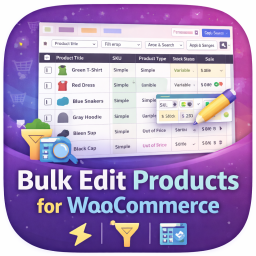
Edit WooCommerce prices, stock, SKUs and more for hundreds of products at once. Spreadsheet-style editing, before/after preview and one-click undo.
CHOOSE WHAT YOUR WEBSITE NEEDS
Start with the task you need to solve. Compare features, WordPress and PHP requirements, update history and the author’s documentation. Test changes on a private copy and avoid adding several plugins for the same job.
This independent directory displays plugin information on WebFulHost and links to the official source. Packages are not mirrored or installed here. A plugin can include paid extensions or services with separate terms from its author.