

Speedx Smart Line Breaks
By SpeedX
Speedx Smart Line Breaks is a lightweight yet powerful typography plugin for WordPress.
★ 5.0/5 (1)50+ active installations
- Version
- 1.5.5
- WordPress
- 6.8+
- PHP
- 7.4+
- Updated
- 5 Sep 2026
WORDPRESS RESOURCES
Explore public plugin information from the official WordPress.org directory. Compare what a plugin does, its requirements and update history before adding it to your website.
Explore WordPress hosting →281 matching plugins reported by WordPress.org · Page 4 of 24
Source: WordPress.org
Data refreshed 25 Nov 2026 19:45 UTC
By SpeedX
Speedx Smart Line Breaks is a lightweight yet powerful typography plugin for WordPress.

1000+ news, magazine & blog starter templates, 1-click demo importer & site migration tool by AF Themes for Elementor, Gutenberg & WooCommerce.
Build a digital business card with a scannable QR code, a downloadable vCard and tap-to-call contact links. No CSS needed.
Create WordPress pages, blocks, and images with AI. Translate pages instantly.

By Rustaurius
Restaurant menu and food ordering system that is easy to set up and integrates with any theme. Includes restaurant menu blocks and patterns.

By Bowo
Central dashboard to monitor various WordPress components, processes and data, including the server.
Protect content from copying, scraping and inspection with JS blocking, keyword cloaking, noise injection, optional encryption or lazy loading.

By wpbranddigital
Create sticky notice bars, announcement banners, sales countdowns, and CTA alerts directly in the WordPress Block Editor.

By Mariusz Kobak
Complete Steam integration with visual customization, Gutenberg blocks, and comprehensive Steam Web API support.
Send WordPress post notifications to Discord via webhooks — role mentions, custom post types, and rich embeds.
By Ali J Online
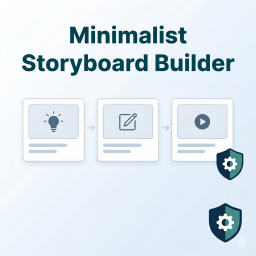
A secure, clean tool to build interactive storyboards and visual sequences using a custom post type and short code.

Redesign your WooCommerce My Account page with themes, custom tabs, magic link login, 2FA, passkeys, registration fields, and drag & drop reorder …
CHOOSE WHAT YOUR WEBSITE NEEDS
Start with the task you need to solve. Compare features, WordPress and PHP requirements, update history and the author’s documentation. Test changes on a private copy and avoid adding several plugins for the same job.
This independent directory displays plugin information on WebFulHost and links to the official source. Packages are not mirrored or installed here. A plugin can include paid extensions or services with separate terms from its author.



