Create WooCommerce product feeds for Google Shopping, Facebook, TikTok & 220+ channels. 2026 compliant. 6 formats.
★ 4.6/5 (839)90,000+ active installations
- Version
- 8.0.45
- WordPress
- 6.6+
- PHP
- 7.4+
- Updated
- 17 Nov 2026
WORDPRESS RESOURCES
Explore public plugin information from the official WordPress.org directory. Compare what a plugin does, its requirements and update history before adding it to your website.
Explore WordPress hosting →10,000 matching plugins reported by WordPress.org · Page 4 of 50
Source: WordPress.org
Data refreshed 20 Nov 2026 10:20 UTC
Create WooCommerce product feeds for Google Shopping, Facebook, TikTok & 220+ channels. 2026 compliant. 6 formats.

By David Anderson / Team Updraft
Get caching and more with this powerful cache plugin. Cache, optimize images, clean your database and minify for maximum performance.
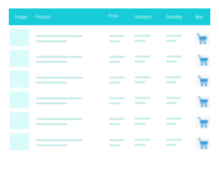
A truly lightweight, EASY to use and super FAST WooCommerce product table solution to add multiple products to cart at once.

By Rank Math SEO
Grow your organic traffic and AI visibility with powerful SEO tools, XML sitemaps, Schema automation, and built-in AI SEO, all in one place.
A complete WordPress LMS plugin to create any eLearning website easily.

By David Anderson / Team Updraft
Backup, restore or migrate your WordPress website to another host or domain. Schedule backups or run manually. Migrate in minutes.
Add modules: share buttons, header/footer scripts, disable comments, reading progress, custom fonts, custom login & more in one plugin.
Increase loyalty & sales by letting customers create, manage & share multiple wishlists on your WooCommerce store.
Complete WordPress LMS plugin. Build & sell online courses with quizzes, certificates, and built-in payments. The all-in-one LMS for course creators.

Display a simple banner/bar at the top or bottom of your website. Now with multi-banner support.

By Naked Cat Plugins
Set a maximum and/or minimum quantity limit, and/or force a "sell in multiples of" quantity, for the WooCommerce cart, globally or per product.
Offer unlimited chat apps and support channels to your WordPress website.
CHOOSE WHAT YOUR WEBSITE NEEDS
Start with the task you need to solve. Compare features, WordPress and PHP requirements, update history and the author’s documentation. Test changes on a private copy and avoid adding several plugins for the same job.
This independent directory displays plugin information on WebFulHost and links to the official source. Packages are not mirrored or installed here. A plugin can include paid extensions or services with separate terms from its author.