
One Click Close Comments
By Scott Reilly
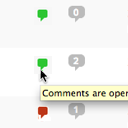
Conveniently close or open comments for a post or page with one click from the admin listing of posts.
★ 4.9/5 (10)5,000+ active installations
- Version
- 3.0
- WordPress
- 4.7+
- Updated
- 17 Apr 2025
WORDPRESS RESOURCES
Explore public plugin information from the official WordPress.org directory. Compare what a plugin does, its requirements and update history before adding it to your website.
Explore WordPress hosting →1,593 matching plugins reported by WordPress.org · Page 4 of 50
Source: WordPress.org
Data refreshed 20 Nov 2026 09:15 UTC
By Scott Reilly
Conveniently close or open comments for a post or page with one click from the admin listing of posts.

By Robin W
Replace the comments on your WordPress blog posts with topics from an integrated bbPress install

By Andre Gagnon
A modern video and audio player for courses, landing pages, marketing, and testimonials — with captions, branding, and page-builder support.

By WordPress.org
Opt-in AI for WordPress: one stable feature plus experiments that may change or be removed. Needs an AI provider plugin and your own API key.

By WebFactory
Bulk delete posts, pages, users, attachments, and meta fields based on complex bulk conditions & filters.
A true Web Application Firewall to protect and secure WordPress.

By NEXTFLY® Web Design
Effortlessly disable all comments and trackback functionality across your entire WordPress site by activating this plugin.
MCP server for WordPress. Connect Claude, ChatGPT, Cursor or any MCP client to manage content, themes and settings, with approvals.
Disable Source(Ctrl+U), Disable Right click, Disable F12 functional key, and Disable save the page(Ctrl+S) and Content Protection of your WordPress We …

By WP Chill
An easy-to-use testimonial plugin to collect and show customer feedback in WordPress

By Boone Gorges
WP Grade Comments makes it easy for instructors who use WordPress in a course setting to give private feedback and/or grades to post authors, all with …

By 10up
A fast and flexible search and query engine for WordPress.
CHOOSE WHAT YOUR WEBSITE NEEDS
Start with the task you need to solve. Compare features, WordPress and PHP requirements, update history and the author’s documentation. Test changes on a private copy and avoid adding several plugins for the same job.
This independent directory displays plugin information on WebFulHost and links to the official source. Packages are not mirrored or installed here. A plugin can include paid extensions or services with separate terms from its author.


