

Loginizer
By Softaculous
Loginizer is a WordPress security plugin which helps you fight against bruteforce attacks.
★ 4.8/5 (1,034)1,000,000+ active installations
- Version
- 2.1.4
- WordPress
- 3.0+
- PHP
- 5.5+
- Updated
- 19 Nov 2026
WORDPRESS RESOURCES
Explore public plugin information from the official WordPress.org directory. Compare what a plugin does, its requirements and update history before adding it to your website.
Explore WordPress hosting →4,045 matching plugins reported by WordPress.org · Page 4 of 50
Source: WordPress.org
Data refreshed 22 Nov 2026 10:33 UTC
By Softaculous
Loginizer is a WordPress security plugin which helps you fight against bruteforce attacks.

By Janis Elsts
Lets you edit the WordPress admin menu. You can re-order, hide or rename menus, add custom menus and more.

By David Anderson / Team Updraft
Get caching and more with this powerful cache plugin. Cache, optimize images, clean your database and minify for maximum performance.
By WP Darko
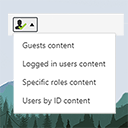
The simplest way of controlling who sees what in your posts/pages. Restrict content to logged in users only (or guests, or by roles) with simple short …

By kahnu044
Menu By User Roles allows you to control the visibility of menu items based on user roles.

By Premmerce
This plugin has been developed for creating user roles from the WordPress admin area and assigning the arbitrary access rights to them.

By inzidev
Restrict access to pages, posts, and custom post types by user roles or login status with a clean and conflict-free interface.

EasyMedia - Increase the maximum upload file size limit to any value. Increase upload limit - upload large files effortlessly.

By Yasar Khalifa
Redirect users after login/logout by role. Optionally hide admin bar and block dashboard access for selected roles.

By Christian Leuenberg
Adds a shortcode to restrict content from anonymous users.

By wp.insider
Simple membership plugin adds membership functionality to your site. Protect members only content using content protection easily.

By Melapress
Get better WordPress login security; add two-factor authentication (2FA) for all your users with this easy-to-use plugin.
CHOOSE WHAT YOUR WEBSITE NEEDS
Start with the task you need to solve. Compare features, WordPress and PHP requirements, update history and the author’s documentation. Test changes on a private copy and avoid adding several plugins for the same job.
This independent directory displays plugin information on WebFulHost and links to the official source. Packages are not mirrored or installed here. A plugin can include paid extensions or services with separate terms from its author.