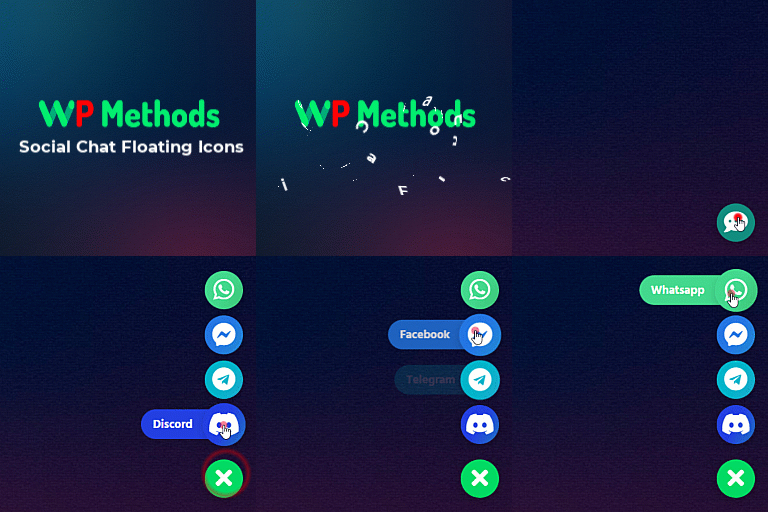
Display live chat floating icons of any social media like WhatsApp, Messenger, Telegram, etc on your WordPress website.
20+ active installations
- Version
- 1.1.1
- WordPress
- 5.9+
- PHP
- 7.4+
- Updated
- 27 Oct 2026
View plugin details ↗Fully responsive and mobile ready meet the team showcase plugin for wordpress.
★ 4.0/5 (53)1,000+ active installations
- Version
- 1.22.28
- WordPress
- 3.8+
- Updated
- 8 Jun 2026
View plugin details ↗Simple & easy plugin to add social media sharing icons, buttons like Facebook, Twitter, WhatsApp, Instagram & more
★ 4.5/5 (129)10,000+ active installations
- Version
- 8.0
- WordPress
- 5.0+
- PHP
- 5.3+
- Updated
- 24 Sep 2026
View plugin details ↗Build complete WordPress websites faster with Free Theme Builder and Powerful Dynamic Widgets.
★ 5.0/5 (2)70+ active installations
- Version
- 1.2.0
- WordPress
- 5.9+
- PHP
- 7.4+
- Updated
- 20 Jun 2026
View plugin details ↗Dozens of settings aiming at creating a friendlier administration environment for both Administrators and Editors.
★ 5.0/5 (9)500+ active installations
- Version
- 3.8.4
- WordPress
- 5.0+
- PHP
- 7.0+
- Updated
- 15 Oct 2026
View plugin details ↗Shareable contact cards with QR codes and vCard via shortcode, Gutenberg block, and Elementor widget.
100+ active installations
- Version
- 1.1.3
- WordPress
- 5.8+
- PHP
- 8.0+
- Updated
- 10 Oct 2026
View plugin details ↗
By Wasiliy Strecker / ContestGallery developer
Create photo and media galleries with uploads, voting and product sales through PayPal or Stripe.
★ 4.4/5 (89)1,000+ active installations
- Version
- 34.0.5
- WordPress
- 5.6+
- PHP
- 5.6+
- Updated
- 12 Nov 2026
View plugin details ↗A lightweight floating social contact button with a configurable popup panel for WhatsApp, social profiles, email, phone, SMS, and website links.
★ 5.0/5 (1)30+ active installations
- Version
- 1.0.2
- WordPress
- 5.6+
- PHP
- 7.4+
- Updated
- 17 May 2026
View plugin details ↗Advanced Elementor addons plugin with widgets, WooCommerce builder, mega menu, popup builder and Elementor template kits for faster website design.
★ 4.8/5 (4)6,000+ active installations
- Version
- 1.0.38
- WordPress
- 5.0+
- PHP
- 7.4+
- Updated
- 18 Jul 2026
View plugin details ↗Add lightweight social share buttons to WordPress posts and pages. Gutenberg-native, fully customizable, with shortcode support and share themes.
★ 4.3/5 (3)2,000+ active installations
- Version
- 2.5.0
- WordPress
- 6.5+
- PHP
- 7.4+
- Updated
- 18 Nov 2026
View plugin details ↗A widget to add links of social networking sites.
★ 4.7/5 (11)4,000+ active installations
- Version
- 2.3.1
- WordPress
- 2.8+
- Updated
- 25 May 2025
View plugin details ↗Customers can call, message you or share your website on smart phone with our Social Mobile Messaging Bar. Messaging via Messenger, Skype, SMS, email.
★ 4.9/5 (10)200+ active installations
- Version
- 1.2.0
- WordPress
- 3.0.1+
- PHP
- 7.0+
- Updated
- 14 Apr 2025
View plugin details ↗