

The best free lazy load plugin for WordPress. Lazy load images, videos, and iframes to improve performance and Core Web Vitals scores.
★ 4.2/5 (139)100,000+ active installations
- Version
- 2.4.1
- WordPress
- 4.9+
- PHP
- 7.4+
- Updated
- 6 Oct 2026
WORDPRESS RESOURCES
Explore public plugin information from the official WordPress.org directory. Compare what a plugin does, its requirements and update history before adding it to your website.
Explore WordPress hosting →2,630 matching plugins reported by WordPress.org · Page 4 of 50
Source: WordPress.org
Data refreshed 21 Nov 2026 15:56 UTC
The best free lazy load plugin for WordPress. Lazy load images, videos, and iframes to improve performance and Core Web Vitals scores.

By Magazine3
This is the Web Stories Enhancer Plugin for showing the web stories to the website with the help of a shortcode [web_stories_enhancer].

By WebFactory
Disables right click context menu on images to help deter leeches from stealing images.

By Web Guy
Adds the canonical link to your site.
By Web Builder 143
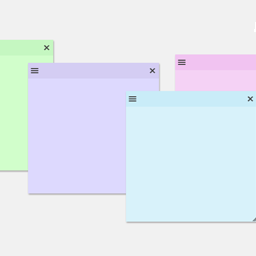
Create sticky notes in your WP admin for reminders and to-dos. Restrict notes by user roles and disable them on specific pages.

By David Anderson / Team Updraft
Install plugins of any size (i.e. work around web hosting limits)

By Dango Web
Easily block WordPress user accounts temporarily or permanently. Restrict login, REST API, and authentication access, revoke active sessions, customiz …

By Gijo Varghese
Ensure text remains visible during webfont load, reduce FOUT, and improve performance for a smoother user experience.
Create unlimited folders with the Folders WordPress plugin, organize & manage your Media Library files, Pages & Posts in folders 📁

By Syed Balkhi
Log, view, and resend all emails sent from your WordPress site. Great for resolving email sending issues or keeping a copy for auditing.

By wpseek
A simple Google Analytics solution that works without slowing down your WordPress installation.

By Bee Web Hosting
Allows you to install one or more plugins simply by typing their names or download URLs in a textarea.
CHOOSE WHAT YOUR WEBSITE NEEDS
Start with the task you need to solve. Compare features, WordPress and PHP requirements, update history and the author’s documentation. Test changes on a private copy and avoid adding several plugins for the same job.
This independent directory displays plugin information on WebFulHost and links to the official source. Packages are not mirrored or installed here. A plugin can include paid extensions or services with separate terms from its author.
