Beautiful Coming soon, Maintenance or Landing page on your website, packed with premium features for free.
★ 4.7/5 (326)200,000+ active installations
- Version
- 4.1.22
- WordPress
- 3.0+
- PHP
- 5.6+
- Updated
- 16 Oct 2026
View plugin details ↗Disable comments globally on all posts or certain post types. Delete all comments at once, by post type or comment status. Manage links in comments.
★ 5.0/5 (41)9,000+ active installations
- Version
- 1.3.5
- WordPress
- 5.6+
- PHP
- 7.4+
- Updated
- 23 Nov 2026
View plugin details ↗Optimize WordPress performance with server-level caching, Redis purging, and page speed tools for FlyWP-powered cloud servers.
★ 5.0/5 (3)4,000+ active installations
- Version
- 1.10.0
- WordPress
- 5.0+
- Updated
- 18 Nov 2026
View plugin details ↗Social sharing plugin adding social buttons.
★ 4.9/5 (1,911)10,000+ active installations
- Version
- 3.7.6
- WordPress
- 3.0+
- Updated
- 10 Oct 2026
View plugin details ↗Aggregate and embed your social media posts on your site (Facebook, Twitter, Instagram, Pinterest and many more) as a beautiful social media feed.
★ 4.2/5 (5)2,000+ active installations
- Version
- 1.9.7
- WordPress
- 4.0+
- Updated
- 2 Sep 2026
View plugin details ↗AI Writer & content generator for WordPress & WooCommerce. Auto blogging, AI writing plugin, product descriptions and SEO content.
★ 4.4/5 (16)1,000+ active installations
- Version
- 3.6.0
- WordPress
- 5.5+
- PHP
- 7.0+
- Updated
- 10 Oct 2026
View plugin details ↗Disable comments site-wide or by post type, delete existing comments in bulk, and block comment spam via REST API and XML-RPC. Multisite ready.
★ 4.7/5 (282)1,000,000+ active installations
- Version
- 2.9.2
- WordPress
- 5.0+
- PHP
- 7.0+
- Updated
- 19 Nov 2026
View plugin details ↗Build photo galleries, image galleries, and portfolio grids with gallery blocks. Masonry, lightbox, sliders, and filters included.
★ 4.8/5 (343)50,000+ active installations
- Version
- 3.12.0
- WordPress
- 6.2+
- PHP
- 8.3+
- Updated
- 22 Nov 2026
View plugin details ↗The most advanced Audio Player for Music & Podcast. For Elementor, Gutenberg, WooCommerce and more. Add unlimited players to any pages!
★ 4.8/5 (302)20,000+ active installations
- Version
- 5.17.1
- WordPress
- 4.7+
- PHP
- 7.4+
- Updated
- 24 Nov 2026
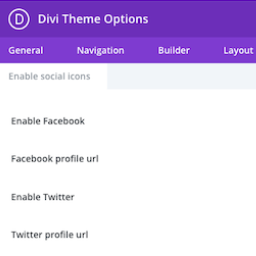
View plugin details ↗This plugin adds the ability to add more social icons to your website when using the Divi theme.
★ 5.0/5 (4)1,000+ active installations
- Version
- 1.8.1
- WordPress
- 5.1+
- PHP
- 5.4+
- Updated
- 7 May 2026
View plugin details ↗Floating social icons, share buttons, a widget & a Gutenberg block, in one fast plugin — completely rebuilt, with a one-click import of your exist …
★ 4.6/5 (58)10,000+ active installations
- Version
- 6.0.1
- WordPress
- 6.0+
- PHP
- 7.4+
- Updated
- 12 Sep 2026
View plugin details ↗Showcase your podcast only using podcasting feed url. Use widget, shortcode or editor block to display podcast player anywhere on your site.
★ 4.8/5 (113)10,000+ active installations
- Version
- 8.3.9
- WordPress
- 4.9+
- PHP
- 5.6+
- Updated
- 18 Nov 2026
View plugin details ↗