

Markdown Comment Block
By Rich Tabor
Add markdown inspired comments to posts that render only within the block editor.
★ 5.0/5 (1)300+ active installations
- Version
- 1.0.0
- WordPress
- 5.7+
- PHP
- 7.0+
- Updated
- 14 Jul 2024
WORDPRESS RESOURCES
Explore public plugin information from the official WordPress.org directory. Compare what a plugin does, its requirements and update history before adding it to your website.
Explore WordPress hosting →3,498 matching plugins reported by WordPress.org · Page 40 of 50
Source: WordPress.org
Data refreshed 24 Nov 2026 17:26 UTC
By Rich Tabor
Add markdown inspired comments to posts that render only within the block editor.
Advanced yet easy, Gutenberg editor page builder blocks. Create a masterpiece, pixel perfect website using modern WordPress Gutenberg blocks.

By Scott Paterson
Checkout Field Editor /Checkout Manager for WooCommerce - WooCommerce checkout editor plugin to manage your WooCommerce checkout fields.

By Ashish Ajani
Using Simple HTML Sitemap plugin, you can add HTML Sitemap anywhere on the website using Shortcode.

By Timo Reith
Notify on every post change: Flexible rules, custom placeholders and support for all post types and taxonomies.

By Mickael Hauwy
Auditez et sécurisez votre WordPress en 1 clic : 50+ vérifications, protection brute force, masquage login, blocage IP automatique.
By Tim Eckel
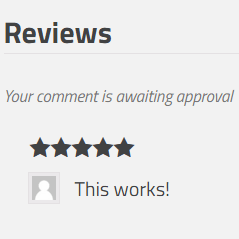
Force WooCommerce product reviews to be manually approved.

By Aurélien LWS
All-in-one speed optimization: caching, WebP/AVIF, Critical CSS, lazy loading, CDN, and more. Instantly boost Core Web Vitals and site speed!
The most advanced drag & drop app builder. Create multi templates and app controls.
Manage all your WordPress sites from one place. Automate updates, backups, uptime monitoring, security, reports, and more.

By Billy Coover
The Nearby Now plugin allows you to display your customer reviews, job locations with photos and videos, and a service-area heat-map on any blog post …

By phpaddicted
Show related posts with thumbnails and post nudges. Six layouts, Gutenberg block, Elementor widget, shortcode, and smart content matching.
CHOOSE WHAT YOUR WEBSITE NEEDS
Start with the task you need to solve. Compare features, WordPress and PHP requirements, update history and the author’s documentation. Test changes on a private copy and avoid adding several plugins for the same job.
This independent directory displays plugin information on WebFulHost and links to the official source. Packages are not mirrored or installed here. A plugin can include paid extensions or services with separate terms from its author.


