

Tableberg – Simple Gutenberg Table Block
By Imtiaz Rayhan
Table Block For the Block Editor. Craft Beautiful Tables With Ease.
★ 4.8/5 (46)4,000+ active installations
- Version
- 1.2.1
- WordPress
- 6.1+
- PHP
- 7.0+
- Updated
- 8 Nov 2026
WORDPRESS RESOURCES
Explore public plugin information from the official WordPress.org directory. Compare what a plugin does, its requirements and update history before adding it to your website.
Explore WordPress hosting →9,022 matching plugins reported by WordPress.org · Page 40 of 50
Source: WordPress.org
Data refreshed 25 Nov 2026 03:45 UTC
By Imtiaz Rayhan
Table Block For the Block Editor. Craft Beautiful Tables With Ease.

By VillaTheme
Elevate your checkout experience with enticing product suggestions and smart order bumps, all featuring attractive discounts

By Palasthotel GmbH
Relate posts to other posts, edit them in the block editor sidebar or a meta box, and show them with a Related content block or on the REST API.

By Rafal Gierlicki
Hardens and protects your site by locking down login, REST API, XML‑RPC, file editor, and applying HTTP security headers.

By Catch Themes
What this plugin does is to shows the IDs on admin section.
Commandify, a smart command palette for WordPress & WooCommerce. Instantly navigate, search, and manage admin tasks with fast keyboard commands.

By Bosa Themes
Shop-first Elementor addon with WooCommerce widgets, 3,000+ templates, site modules & AI Builder — for your store or any website.

By Payment Plugins
Accept Credit Cards, PayPal, PayPal Credit, Google Pay, ApplePay, Venmo, and Local Payments like iDEAL all in one plugin for free!

By Phil Kurth
Flexible and developer-friendly forms using the power of Advanced Custom Fields

By pimwick
Sell WooCommerce gift cards in minutes. Customers choose an amount, email it to a recipient, and redeem the balance at checkout.

By Fernando Tellado
Decide where the block editor stays and where the Classic Editor comes back. It also removes Global Styles, patterns, block widgets and block CSS.
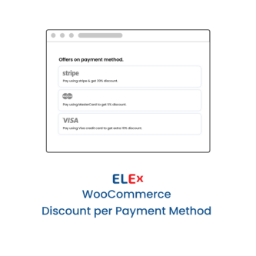
By ELEXtensions
It will be a pleasant little surprise for customers if you offer a discount based on the payment method they have chosen on the Checkout page.
CHOOSE WHAT YOUR WEBSITE NEEDS
Start with the task you need to solve. Compare features, WordPress and PHP requirements, update history and the author’s documentation. Test changes on a private copy and avoid adding several plugins for the same job.
This independent directory displays plugin information on WebFulHost and links to the official source. Packages are not mirrored or installed here. A plugin can include paid extensions or services with separate terms from its author.
