
Rankfender
By Rankfender
Publish AI-generated SEO articles from your Rankfender account directly to WordPress — in one click.
0+ active installations
- Version
- 1.7.2
- WordPress
- 5.6+
- PHP
- 7.4+
- Updated
- 1 Jul 2026
WORDPRESS RESOURCES
Explore public plugin information from the official WordPress.org directory. Compare what a plugin does, its requirements and update history before adding it to your website.
Explore WordPress hosting →1,186 matching plugins reported by WordPress.org · Page 40 of 50
Source: WordPress.org
Data refreshed 22 Nov 2026 15:19 UTC
By Rankfender
Publish AI-generated SEO articles from your Rankfender account directly to WordPress — in one click.

By rankiseo
Connects your WordPress site to Ranki for automated AI SEO content publishing: posts, images, and SEO metadata, hands-free.
Connects your site to Go Top SEO: publishes AI-written blog articles with images and internal links, and applies the SEO fixes and schema you approve.

By Maulik Makwana
AI-powered plugin to generate SEO-optimized blog posts and content automatically using OpenAI, Groq, or compatible AI APIs.
Connect your WordPress site to Mose: SEO article drafts written from your own search data, SEO fields filled in, and a report of which AI engines read …
On-page SEO, schema, llms.txt, redirects and audits, plus an AI writer for complete articles with images.

By Tech Zenith Labs
SEO audit, content analysis, conversion optimization, live SEO scoring, and optional Gemini-powered AI writing for WordPress.
By Technical Graffiti
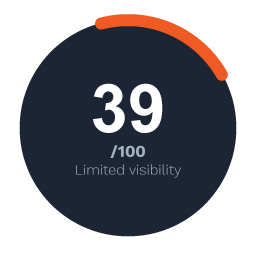
Make your WordPress site visible to AI search engines — ChatGPT, Perplexity, Google AI and more. Free score check included.

By ultraDevs
Turn Dropbox into a WordPress file manager — browse, embed, upload & share files with shortcodes, blocks & forms.

By Guram Zhgamadze
Score every page for AI answer engines, see which assistant read which page, then publish llms.txt, Markdown and structured data.
Clean Organization & WebSite JSON-LD structured data for company sites. Lightweight and free, AI search & LLM ready, easy to validate.
DigiBlocks is a powerful collection of beautifully designed Gutenberg blocks that help you create stunning WordPress pages with ease.
CHOOSE WHAT YOUR WEBSITE NEEDS
Start with the task you need to solve. Compare features, WordPress and PHP requirements, update history and the author’s documentation. Test changes on a private copy and avoid adding several plugins for the same job.
This independent directory displays plugin information on WebFulHost and links to the official source. Packages are not mirrored or installed here. A plugin can include paid extensions or services with separate terms from its author.