Sort posts and custom post type objects using a drag-and-drop, sortable JavaScript AJAX interface, or through the default WordPress dashboard
★ 4.5/5 (296)600,000+ active installations
- Version
- 2.5.9
- WordPress
- 2.8+
- PHP
- 5.6+
- Updated
- 21 Oct 2026
View plugin details ↗Make up custom-tailored preview lists of the contents easily and place them in widget areas and post contents.
★ 4.6/5 (13)2,000+ active installations
- Version
- 5.2.9
- WordPress
- 4.6+
- PHP
- 5.2+
- Updated
- 18 Aug 2026
View plugin details ↗HUB3 payment details for Direct bank transfers (Croatian banks only) with barcode for mobile banking.
★ 5.0/5 (20)1,000+ active installations
- Version
- 3.1.4
- WordPress
- 5.0+
- PHP
- 7.4+
- Updated
- 6 Nov 2026
View plugin details ↗Completely remove "attachment" pages for WordPress media. Improve SEO and prevent conflicts between page and image permalinks.
★ 5.0/5 (17)9,000+ active installations
- Version
- 4.0.3
- WordPress
- 6.0+
- PHP
- 8.0+
- Updated
- 18 Sep 2026
View plugin details ↗Scan, preview and safely bulk update missing image alt text, titles, captions and descriptions. Privacy-first, with WooCommerce support.
60+ active installations
- Version
- 1.1.1
- WordPress
- 5.8+
- PHP
- 7.4+
- Updated
- 13 Jul 2026
View plugin details ↗Mark AI-generated images in the media library: visible front-end badge plus machine-readable IPTC/XMP metadata written into the image files.
70+ active installations
- Version
- 1.2.0
- WordPress
- 6.2+
- PHP
- 7.4+
- Updated
- 29 Sep 2026
View plugin details ↗Easily add a range of custom fields to WooCommerce products, from text boxes to date selectors, allowing customers to personalize their orders.
★ 4.5/5 (283)20,000+ active installations
- Version
- 34.0.14
- WordPress
- 6.2+
- PHP
- 7.2+
- Updated
- 16 Nov 2026
View plugin details ↗Boost SEO 🚀 with powerful XML, HTML, Image, Video & Google News sitemaps for better search engine indexing.
★ 4.7/5 (47)20,000+ active installations
- Version
- 2.3.9
- WordPress
- 5.0+
- PHP
- 5.6+
- Updated
- 19 Oct 2026
View plugin details ↗Create responsive Elementor sliders for hero sections, posts, products and more with powerful Elementor addons and ready-to-use Elementor templates.
★ 4.5/5 (82)100,000+ active installations
- Version
- 5.1.4
- WordPress
- 6.8+
- PHP
- 7.4+
- Updated
- 19 Nov 2026
View plugin details ↗Responsive image popups for WordPress with display rules, WooCommerce support, scheduling, GTM/GA4 tracking, and a modern admin UI.
★ 5.0/5 (1)40+ active installations
- Version
- 2.1.0
- WordPress
- 5.6+
- PHP
- 7.4+
- Updated
- 11 Aug 2026
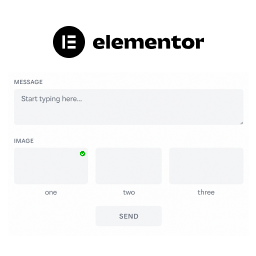
View plugin details ↗Simple elementor addon to Extend elementor form
★ 5.0/5 (1)100+ active installations
- Version
- 1.0.3
- WordPress
- 5.9+
- PHP
- 7.4+
- Updated
- 6 Jul 2025
View plugin details ↗Create beautiful, interactive Maps with Waymark.
★ 5.0/5 (55)900+ active installations
- Version
- 1.8.5
- WordPress
- 6.4+
- PHP
- 8.3+
- Updated
- 21 Nov 2026
View plugin details ↗