Easily add a "Was it helpful?" survey on your blog or knowledge base pages with this article feedback plugin.
★ 4.4/5 (8)600+ active installations
- Version
- 1.16
- WordPress
- 6.5+
- PHP
- 7.3+
- Updated
- 22 Oct 2026
WORDPRESS RESOURCES
Explore public plugin information from the official WordPress.org directory. Compare what a plugin does, its requirements and update history before adding it to your website.
Explore WordPress hosting →2,083 matching plugins reported by WordPress.org · Page 40 of 50
Source: WordPress.org
Data refreshed 21 Nov 2026 23:12 UTC
Easily add a "Was it helpful?" survey on your blog or knowledge base pages with this article feedback plugin.
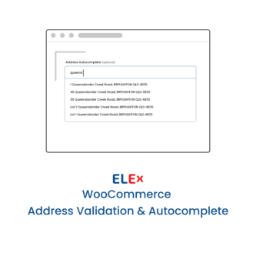
Simple and easy to use address validation & google address autocomplete plugin. Uses EasyPost, UPS, USPS, AddressFinder & Google APIs.

By NeonaFM
Временная диагностика нагрузки WordPress: найдите запросы, cron-задачи, фоновые процессы и внешние вызовы, расходующие ресурсы сервера.

By MailerSend
Send custom invoices, password reset links, order status updates, and much more, with MailerSend.

By Codexpert, Inc
The most complete WooCommerce affiliate plugin - unlimited affiliates, real-time tracking, flexible commissions. Free to start.

By live24heu
Scan your WordPress site and create 24/7 monitoring checks in live24h with one click — HTTP, SSL, domain and WooCommerce.

By Marcello Ruoppolo
Protect your WordPress. The ultimate lightweight security suite. Block brute-force attacks, auto-repair infected core files, hide your login URL, set …

By Whello Indonesia
WhatsApp CS Rotator for managing customer service contacts with automatic rotation based on working hours, shifts, and availability.

By guardstack
Monitor failed and overdue WooCommerce Action Scheduler jobs and webhook issues with clear diagnostics and email alerts.
Better Search replaces the default WordPress search with a better search engine that gives contextual results sorted by relevance.

By Quentin Le Duff (--Q--)
Update WordPress without fear. Monitor every change, take precise control over all updates, schedule on your terms.

By Usama Khalid
Add emoji reactions to posts, WooCommerce products, and custom post types with built-in analytics for reaction trends and top-performing content.
CHOOSE WHAT YOUR WEBSITE NEEDS
Start with the task you need to solve. Compare features, WordPress and PHP requirements, update history and the author’s documentation. Test changes on a private copy and avoid adding several plugins for the same job.
This independent directory displays plugin information on WebFulHost and links to the official source. Packages are not mirrored or installed here. A plugin can include paid extensions or services with separate terms from its author.