
SRKP Role Based Admin Menu
By keshav480
Control and customize WordPress admin menu and submenu visibility dynamically for each user role with role-based access rules.
10+ active installations
- Version
- 1.0.0
- WordPress
- 5.8+
- PHP
- 7.4+
- Updated
- 3 Aug 2026
WORDPRESS RESOURCES
Explore public plugin information from the official WordPress.org directory. Compare what a plugin does, its requirements and update history before adding it to your website.
Explore WordPress hosting →1,984 matching plugins reported by WordPress.org · Page 40 of 50
Source: WordPress.org
Data refreshed 23 Nov 2026 20:30 UTC
By keshav480
Control and customize WordPress admin menu and submenu visibility dynamically for each user role with role-based access rules.
eRoom is the best WordPress Zoom Meeting and Webinar Plugin. eRoom Zoom WordPress plugin enables integration with Zoom, Google Meet, Microsoft Teams.

By Milan Petrovic
Implement a polls system for topics in bbPress powered forums, with settings to control voting, poll closing, display of results and more.
By tharkun69
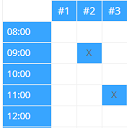
Create configurable occupancy schedules and let visitors view, request and manage bookings directly in the WordPress frontend.
Set conditions for WooCommerce shipping methods to show up.

By fredobrian
Find, edit, and fix missing image alt texts directly from your WordPress admin — with inline editing, search, filtering, and CSV export.

By B2B Managers
Role based pricing for WooCommerce: set wholesale and B2B prices per user role, storewide or per product, and hide prices from guests.

By HT Plugins
HT Easy GA4 - Google Analytics WordPress Plugin enables tracking user behavior and viewing Google Analytics dashboard reports from your website.
Appointment booking built only for salons, barbershops and spas. Set it up in minutes by chatting with the AI assistant.
Hide wp-admin behind a custom login URL and stop brute-force attacks with two-factor authentication, login limits, IP rules and an activity log.
Free WordPress event calendar with calendar views, event management, venues, and organizers. The perfect event calendar solution for any website.
Change all your WooCommerce product prices in one click: set a fixed price, add a fixed amount, or multiply prices with ease.
CHOOSE WHAT YOUR WEBSITE NEEDS
Start with the task you need to solve. Compare features, WordPress and PHP requirements, update history and the author’s documentation. Test changes on a private copy and avoid adding several plugins for the same job.
This independent directory displays plugin information on WebFulHost and links to the official source. Packages are not mirrored or installed here. A plugin can include paid extensions or services with separate terms from its author.