Advanced Elementor widgets for headings, buttons, icon boxes, and lists with flexible design and style controls.
★ 5.0/5 (1)10+ active installations
- Version
- 1.3.3
- WordPress
- 6.0+
- PHP
- 7.4+
- Updated
- 5 Jul 2026
View plugin details ↗Vayu Blocks - Page Builder For Gutenberg blocks, Block editor & FSE Templates
900+ active installations
- Version
- 1.4.12
- WordPress
- 6.2+
- PHP
- 7.1+
- Updated
- 1 Oct 2026
View plugin details ↗Use AI to build popups, flyouts, and announcement bars that match your brand. Free popup templates, triggers, targeting rules, and lead capture.
★ 5.0/5 (3)100+ active installations
- Version
- 2.1.10
- WordPress
- 6.5+
- PHP
- 7.4+
- Updated
- 15 Oct 2026
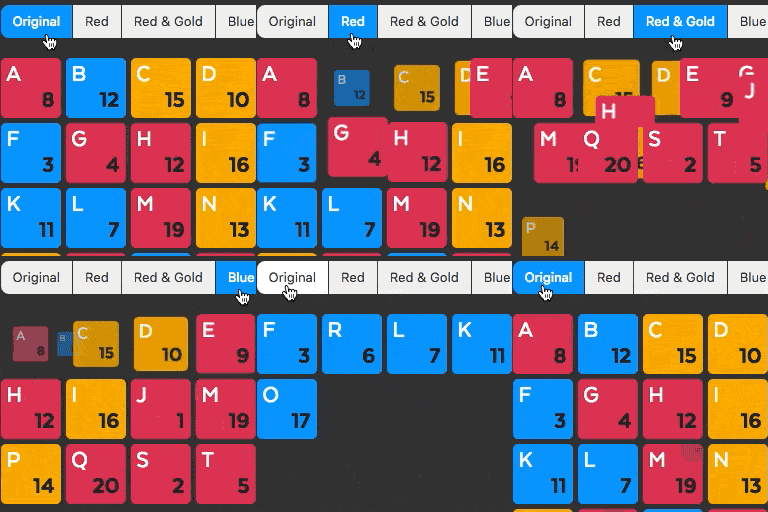
View plugin details ↗Display your portfolio, posts, and product items in a grid with filterable
10+ active installations
- Version
- 2.0.4
- WordPress
- 5.0.0+
- PHP
- 5.2+
- Updated
- 10 Apr 2026
View plugin details ↗Boost order value with related products, upsells, cross-sells and Frequently Bought Together on WooCommerce product, category, cart pages and more.
10+ active installations
- Version
- 1.0.4
- WordPress
- 6.6+
- PHP
- 7.4+
- Updated
- 23 Nov 2026
View plugin details ↗Restrict Elementor Widgets based on different conditions. Works for any widgets from any plugins.
★ 4.2/5 (5)400+ active installations
- Version
- 1.12
- WordPress
- 6.0+
- PHP
- 7.4+
- Updated
- 3 Jun 2025
View plugin details ↗Customizable post grid, magazine & featured posts showcase, announcement banner, and post carousel blocks for Gutenberg.
★ 5.0/5 (1)10+ active installations
- Version
- 1.0.0
- WordPress
- 6.8+
- PHP
- 7.4+
- Updated
- 15 Oct 2026
View plugin details ↗Add lightweight social share buttons to WordPress posts and pages. Gutenberg-native, fully customizable, with shortcode support and share themes.
★ 4.3/5 (3)2,000+ active installations
- Version
- 2.5.0
- WordPress
- 6.5+
- PHP
- 7.4+
- Updated
- 26 Nov 2026
View plugin details ↗Contact Form 7 - Integrate Stripe payment gateway for making your payments through Contact Form 7.
★ 5.0/5 (13)100+ active installations
- Version
- 3.4
- WordPress
- 4.9+
- PHP
- 5.6+
- Updated
- 15 Jun 2026
View plugin details ↗Add floating videos to your website that autoplay silently and expand on click. Supports YouTube Shorts, videos, and self-hosted media.
★ 5.0/5 (1)10+ active installations
- Version
- 1.2.2
- WordPress
- 6.4+
- PHP
- 7.4+
- Updated
- 10 Aug 2026
View plugin details ↗AI-powered virtual try-on for WooCommerce products. Customers upload a photo or snap a camera shot to preview realistic fittings in real time.
★ 5.0/5 (1)0+ active installations
- Version
- 1.9.0
- WordPress
- 6.2+
- PHP
- 8.0+
- Updated
- 25 Nov 2026
View plugin details ↗Build beautiful ecommerce websites in minutes, no coding needed.
20+ active installations
- Version
- 2.1.2
- WordPress
- 3.0+
- PHP
- 7.4+
- Updated
- 27 Nov 2026
View plugin details ↗