

JSON-LD Schema for Yandex Metrica
By antoniolite
Insert the needed JSON-LD Schema in your post pages so you can use the content reports in Yandex Metrica
10+ active installations
- Version
- 1.1
- WordPress
- 4.6+
- PHP
- 5.6+
- Updated
- 1 Aug 2020
WORDPRESS RESOURCES
Explore public plugin information from the official WordPress.org directory. Compare what a plugin does, its requirements and update history before adding it to your website.
Explore WordPress hosting →529 matching plugins reported by WordPress.org · Page 40 of 45
Source: WordPress.org
Data refreshed 24 Nov 2026 14:21 UTC
By antoniolite
Insert the needed JSON-LD Schema in your post pages so you can use the content reports in Yandex Metrica

By bot11x11
The plugin helps you to import product categories and tags, simple and external products from YML file.

By Dmitry Egorov
Add rss channel for Yandex Turbo pages (Яндекс турбо страниц). URL of rss channel for Yandex.Webmaster: "http(s)://YOUR_SITE/feed/yaturbo/".

By Chandrabhan Shekhawat
AI-powered SEO on autopilot: titles, meta, schema, sitemaps, redirects — plus custom post types, custom fields and one-click website designs.

By ugcplugin
Plugin for User-Generated Content: Get frontend post with an array of formatting and styling options to create stunning, professional-grade posts.

By EkoJR
Search Engine Optimization tool to improve a website's search results rank, and increase traffic with Search Engines by improving site discovery.

By krut1
Use your personal SMTP mail server (GMAIL, YAHOO etc.) to send emails in your WordPress system.
Plugin generates the YML file necessary for Yandex services.

By Gaiaz Iusipov
This plugin gives you the easiest way to send emails through the Yandex SMTP server instead of PHP mail().

By djinnznathan
A simple shortcode-plugin for WordPress, that generates a link to DeepL with the translation of the string.
By Konstantin Kovshenin
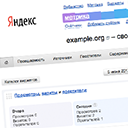
Яндекс Метрика для вашего сайта на WordPress.
CHOOSE WHAT YOUR WEBSITE NEEDS
Start with the task you need to solve. Compare features, WordPress and PHP requirements, update history and the author’s documentation. Test changes on a private copy and avoid adding several plugins for the same job.
This independent directory displays plugin information on WebFulHost and links to the official source. Packages are not mirrored or installed here. A plugin can include paid extensions or services with separate terms from its author.
