WP Plugin Manager lets you disable plugins on specific pages and posts so they only load where needed. No code required.
★ 4.4/5 (23)3,000+ active installations
- Version
- 1.5.0
- WordPress
- 5.0+
- PHP
- 7.4+
- Updated
- 3 Nov 2026
View plugin details ↗Build forms, quizzes, and polls that send every submission straight to Telegram, Slack, WhatsApp or Google Sheets.
★ 5.0/5 (3)30+ active installations
- Version
- 3.12.0
- WordPress
- 5.9+
- PHP
- 7.4+
- Updated
- 20 Nov 2026
View plugin details ↗Recover lost revenue with Cart Abandonment Recovery for WooCommerce. Increase retention with Post Purchase Follow-Up Emails.
★ 5.0/5 (349)20,000+ active installations
- Version
- 3.9.0.2
- WordPress
- 6.5+
- PHP
- 7.4+
- Updated
- 20 Nov 2026
View plugin details ↗Grow email subscribers, send email newsletters, run email marketing, build landing pages and membership sites with Kit (formerly ConvertKit).
★ 4.8/5 (90)40,000+ active installations
- Version
- 3.5.3
- WordPress
- 5.6+
- PHP
- 7.1+
- Updated
- 20 Nov 2026
View plugin details ↗Social media icons and share buttons: 2,400+ icons, block, widget & Elementor. Plus a Click to Chat button for WhatsApp, Telegram & Messenger.
★ 4.9/5 (144)90,000+ active installations
- Version
- 5.0.2
- WordPress
- 6.5+
- PHP
- 7.4+
- Updated
- 21 Nov 2026
View plugin details ↗Easily create payments for Mollie after an Elementor form submission with dynamic pricing support.
★ 5.0/5 (1)100+ active installations
- Version
- 1.4.1
- WordPress
- 5.0+
- PHP
- 7.0+
- Updated
- 15 Nov 2025
View plugin details ↗The #1 Google Address Autocomplete for WordPress. Point-and-click setup, no coding. Works with WooCommerce, CF7, WPForms, Gravity Forms & Elementor.
★ 4.0/5 (25)2,000+ active installations
- Version
- 5.7.0
- WordPress
- 5.4+
- PHP
- 7.2+
- Updated
- 27 Sep 2026
View plugin details ↗Social Media Share Buttons & Follow Buttons. Social Share Icons. 25+ Social networks. Icon & Button Shortcodes. Floating Sidebar.
★ 4.4/5 (11)6,000+ active installations
- Version
- 1.2.5
- WordPress
- 4.9+
- PHP
- 5.6+
- Updated
- 21 Jan 2026
View plugin details ↗Ever Compare is a WordPress plugin for product compare, is a powerful tool that helps you to enable compare button for WooCommerce product.
★ 4.5/5 (4)600+ active installations
- Version
- 1.3.7
- WordPress
- 5.0+
- Updated
- 27 Aug 2026
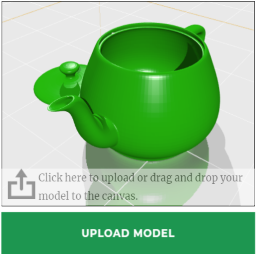
View plugin details ↗A plugin for selling 3D printing services.
★ 4.8/5 (37)600+ active installations
- Version
- 2.1.9
- WordPress
- 3.5+
- Updated
- 17 Sep 2026
View plugin details ↗HT Builder is a drag & drop theme builder plugin for Elementor Page Builder. Theme Builder is included in this plugin to build custom blog page, c …
★ 2.5/5 (2)1,000+ active installations
- Version
- 1.3.5
- WordPress
- 5.0+
- Updated
- 25 Aug 2026
View plugin details ↗Let users upload a custom user avatar and profile picture from their device or webcam, stored on your own server instead of Gravatar.
★ 5.0/5 (7)300+ active installations
- Version
- 2.1.2
- WordPress
- 6.3+
- PHP
- 7.4+
- Updated
- 29 Oct 2026
View plugin details ↗