
Bulk Content Toolkit
By Thomas Lloancy
Custom meta fields in native Quick Edit and Bulk Edit. WooCommerce, LearnPress, ACF, any plugin. No CSV.
★ 5.0/5 (1)50+ active installations
- Version
- 1.6.0
- WordPress
- 5.0+
- PHP
- 7.4+
- Updated
- 14 Oct 2026
WORDPRESS RESOURCES
Explore public plugin information from the official WordPress.org directory. Compare what a plugin does, its requirements and update history before adding it to your website.
Explore WordPress hosting →3,152 matching plugins reported by WordPress.org · Page 41 of 50
Source: WordPress.org
Data refreshed 21 Nov 2026 09:48 UTC
By Thomas Lloancy
Custom meta fields in native Quick Edit and Bulk Edit. WooCommerce, LearnPress, ACF, any plugin. No CSV.
Security and anti-spam without CAPTCHA. Blocks bots on forms, comments and logins, limits login attempts and hardens WordPress. No outside service.

By Narrative Forms
HTML form plugin for WordPress: build a contact form or any custom form from HTML or AI. Conditional logic, webhooks, file uploads, no builder.

By Qode
Qi Blocks is the largest collection of Gutenberg blocks developed by Qode Interactive.

By Plugin Pros
Companion for Yoast or Rank Math: AI search visibility, approve-before-write accessibility, and plugin-bloat health checks in one small plugin.
Find the plugin that broke your site. Plugins are switched off for your browser only, so visitors never notice.

By quadlayers
WhatsApp Chat🔥 allows you to enhance customer engagement! Integrate "WhatsApp" or "WhatsApp Business" with a single click.
By codulon
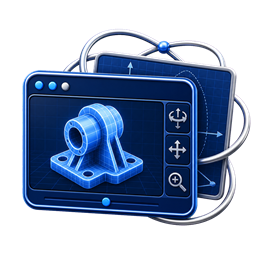
Lightweight STEP/STP viewer with rotate, pan, zoom, fit, shortcode and Gutenberg block support.

By 4WP.dev
Import Google Docs and Markdown from Drive or GitHub into WordPress drafts—or update existing posts and pages from Incoming.

By Steve Truman
a3 Portfolio is an extendable post based plugin that makes creating beautiful content a breeze.

By astha31
Easily translate WordPress websites with Google Translate API integration for multilingual content.
180 admin, security and optimization tools in one plugin, all free. Enable only what you need; disabled modules never load.
CHOOSE WHAT YOUR WEBSITE NEEDS
Start with the task you need to solve. Compare features, WordPress and PHP requirements, update history and the author’s documentation. Test changes on a private copy and avoid adding several plugins for the same job.
This independent directory displays plugin information on WebFulHost and links to the official source. Packages are not mirrored or installed here. A plugin can include paid extensions or services with separate terms from its author.