

Social media automation, social media scheduling and auto publish for WordPress posts to Facebook, X/Twitter, Threads, LinkedIn, Telegram and more.
★ 4.3/5 (11)200+ active installations
- Version
- 1.4.6
- WordPress
- 6.2+
- PHP
- 7.4+
- Updated
- 5 Nov 2026
WORDPRESS RESOURCES
Explore public plugin information from the official WordPress.org directory. Compare what a plugin does, its requirements and update history before adding it to your website.
Explore WordPress hosting →6,033 matching plugins reported by WordPress.org · Page 41 of 50
Source: WordPress.org
Data refreshed 23 Nov 2026 13:50 UTC
Social media automation, social media scheduling and auto publish for WordPress posts to Facebook, X/Twitter, Threads, LinkedIn, Telegram and more.

By WPSight
Add support for Contact Form 7 to attach property details to the contact email sent from WPCasa listing pages.

By Patrick Schlesinger
Read-only security audit for WordPress: 64 checks including PHP2Shell and NGINX2Root, an A to F grade, and a checklist of what you have fixed.

By ShapedPlugin LLC
Add a quick view button in the product loop so visitors can quickly view product information in a nice modal without opening the product page.
By Saidul Islam Bokul
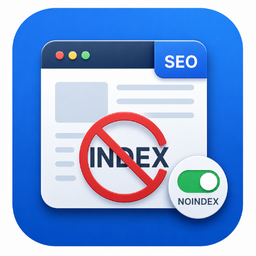
Exclude any post, page, or archive from search engines with one toggle — plus a built-in verifier that proves the tag is really live.
Scan & remove old or outdated slugs (permalinks) in Wordpress, keep your database optimized & your URLs SEO-friendly.

By jetmonsters
JetWidgets for Elementor and WooCommerce is a plugin that allows adding WooCommerce Products and Categories into stylish grid and listing layouts to t …

By Astoundify
WP Modal Popup with Cookie Integration is the smart, responsive, customizable and beautifully coded popup for visitors with cookie integration.

GA4, Google Ads, Meta & OpenAI conversion tracking plus product feed sync for WooCommerce.

Make WordPress private in one click, block registration spam, and safely clean up existing spam accounts.

By Webilia Inc.
Easily migrate listings from popular directory plugins into Listdom.

By WebCodingPlace
Add expiry dates to WooCommerce products and variations, then auto set them out of stock, draft, or expired and email you when they expire.
CHOOSE WHAT YOUR WEBSITE NEEDS
Start with the task you need to solve. Compare features, WordPress and PHP requirements, update history and the author’s documentation. Test changes on a private copy and avoid adding several plugins for the same job.
This independent directory displays plugin information on WebFulHost and links to the official source. Packages are not mirrored or installed here. A plugin can include paid extensions or services with separate terms from its author.
