Contact form builder for WordPress. Create professional, accessible, mobile-friendly forms in minutes without coding.
★ 5.0/5 (322)10,000+ active installations
- Version
- 1.12.21
- WordPress
- 5.5+
- PHP
- 7.2+
- Updated
- 25 Nov 2026
View plugin details ↗Extend Elementor with 68+ widgets, 114 prebuilt demos, Mega Menu Builder, Theme Builder, and advanced interactive effects.
★ 3.8/5 (79)300,000+ active installations
- Version
- 3.3.1
- WordPress
- 5.0+
- PHP
- 7.4+
- Updated
- 7 Nov 2026
View plugin details ↗Highlight Upcoming Events With Countdown Timer with Countdown Block.
★ 4.1/5 (7)4,000+ active installations
- Version
- 1.5.3
- WordPress
- 6.0+
- PHP
- 7.4+
- Updated
- 15 Nov 2026
View plugin details ↗Put the AI chat and contact forms of your Hypamoon project on your site, and move the data behind your WordPress login to Hypamoon. No code to paste.
0+ active installations
- Version
- 1.5.1
- WordPress
- 6.0+
- PHP
- 7.4+
- Updated
- 24 Nov 2026
View plugin details ↗Block Logic adds a "Block Logic" field to the block editor, that lets you show or hide any block based on conditions.
★ 5.0/5 (13)300+ active installations
- Version
- 2.1.6
- WordPress
- 6.5+
- PHP
- 8.0+
- Updated
- 30 May 2026
View plugin details ↗Claude, ChatGPT, Gemini or any AI agent runs your site through MCP and automates any task as a workflow. Automation engine built in.
★ 4.9/5 (157)40,000+ active installations
- Version
- 8.1.0
- WordPress
- 6.2+
- PHP
- 7.4+
- Updated
- 23 Nov 2026
View plugin details ↗Import and export WordPress posts, pages, users and media from any CSV or XML file, URL, FTP or Google Sheets — with visual field mapping.
★ 4.4/5 (25)4,000+ active installations
- Version
- 2.15.2
- WordPress
- 4.0+
- PHP
- 5.6+
- Updated
- 8 Oct 2026
View plugin details ↗WordPress Team Members Showcase plugin – display staff or team profiles in grids, sliders, tables, or lists with filters, popups, drawers & panels.
★ 4.9/5 (21)4,000+ active installations
- Version
- 4.2.3
- WordPress
- 5.9+
- PHP
- 7.4+
- Updated
- 21 Nov 2026
View plugin details ↗Build professional WordPress sites faster. All features free forever. No locked blocks. Optional Cloud Library saves you time.
★ 5.0/5 (17)600+ active installations
- Version
- 2.2.3
- WordPress
- 6.3+
- PHP
- 8.0+
- Updated
- 2 Sep 2026
View plugin details ↗Meta tags, social previews, schema, XML sitemaps and breadcrumbs in one fast plugin, with content analysis and import from other SEO plugins.
0+ active installations
- Version
- 0.3.0
- WordPress
- 6.2+
- PHP
- 7.4+
- Updated
- 17 Nov 2026
View plugin details ↗Download Manager Addons for Elementor
★ 2.2/5 (5)6,000+ active installations
- Version
- 2.0.2
- WordPress
- 5.3+
- Updated
- 31 Aug 2026
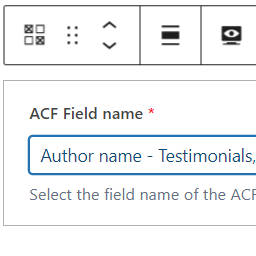
View plugin details ↗No code solution to display ACF fields using the ACF field block.
20+ active installations
- Version
- 1.3.1
- WordPress
- 6.2+
- Updated
- 18 Mar 2024
View plugin details ↗