Verify WooCommerce customer emails with a 6-digit code at registration, password reset and (optionally) checkout.
★ 5.0/5 (3)60+ active installations
- Version
- 2.1.2
- WordPress
- 6.0+
- PHP
- 7.4+
- Updated
- 2 Nov 2026
View plugin details ↗The best WordPress slider plugin. Drag & Drop responsive slider builder that helps you create a beautiful image slideshows with just a few clicks.
★ 4.7/5 (1,025)30,000+ active installations
- Version
- 2.9.1
- WordPress
- 5.7.0+
- PHP
- 7.0+
- Updated
- 24 Nov 2026
View plugin details ↗Count and display post views, track site-wide visits, and see what content works – inside WordPress. Fast, easy to use and privacy-first.
★ 4.9/5 (1,243)100,000+ active installations
- Version
- 1.8.3
- WordPress
- 6.4+
- PHP
- 7.4+
- Updated
- 25 Nov 2026
View plugin details ↗Build news, magazine, blog and business sites with 60+ Gutenberg blocks, AI tools, custom Theme Builder, 500+ patterns, and starter templates.
★ 4.8/5 (34)10,000+ active installations
- Version
- 5.2.7
- WordPress
- 5.0+
- PHP
- 7.4+
- Updated
- 20 Nov 2026
View plugin details ↗Easily change the 'Continue Shopping' link when redirected to the Cart after adding a Product.
★ 4.3/5 (12)4,000+ active installations
- Version
- 1.6.2
- WordPress
- 4.2+
- Updated
- 5 Sep 2025
View plugin details ↗WooCommerce product layout plugin: 12+ layouts, side cart drawer, express checkout, wishlist & cart analytics, product compare, quick view, shop p …
★ 5.0/5 (1)80+ active installations
- Version
- 2.7.0
- WordPress
- 5.9+
- PHP
- 7.2+
- Updated
- 21 Nov 2026
View plugin details ↗Show WooCommerce products in carousels, sliders and grids with hover image swap, quick view and fade effects. Works with Gutenberg and Elementor.
★ 4.3/5 (33)6,000+ active installations
- Version
- 1.15.1
- WordPress
- 4.0+
- Updated
- 15 Nov 2026
View plugin details ↗Easily export data from any post type, custom field, or taxonomy to a CSV, XML, or Excel file of any custom format. Supports WooCommerce products, ord …
★ 4.5/5 (416)100,000+ active installations
- Version
- 1.6.0
- WordPress
- 5.0+
- PHP
- 7.4+
- Updated
- 1 Oct 2026
View plugin details ↗Integrate WooCommerce my account into BuddyPress member profiles. Bring your WooCommerce member pages into BuddyPress and BuddyBoss.
★ 4.3/5 (72)600+ active installations
- Version
- 3.6.6
- WordPress
- 5.9+
- PHP
- 7.4+
- Updated
- 20 Nov 2026
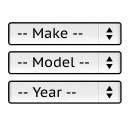
View plugin details ↗It will find products for selected make and model.
★ 5.0/5 (34)1,000+ active installations
- Version
- 1.0.12
- WordPress
- 4.7+
- Updated
- 20 Nov 2026
View plugin details ↗Beautiful responsive event calendar for WordPress. Unlimited events, repeating schedules, virtual events, maps, filters & AI. Clean design, SEO-ready.
★ 4.1/5 (44)6,000+ active installations
- Version
- 2.6
- WordPress
- 6.5+
- Updated
- 21 Nov 2026
View plugin details ↗AI tools inside WordPress — generate meta, ALT text, product descriptions, images and rewrite content from the editor.
10+ active installations
- Version
- 1.8.2
- WordPress
- 6.3+
- PHP
- 7.4+
- Updated
- 3 Sep 2026
View plugin details ↗