Install Post SMTP (WordPress SMTP Plugin) to fix WordPress email delivery. Connect Gmail SMTP, Microsoft 365, Brevo, SendGrid, Zoho, Amazon SES, etc.
★ 4.7/5 (531)300,000+ active installations
- Version
- 4.0.4
- WordPress
- 5.6.0+
- PHP
- 7.1+
- Updated
- 19 Nov 2026
View plugin details ↗Free WooCommerce subscriptions and recurring payments, or standalone without WooCommerce. Trials, switching, self-service, and migration tools.
★ 5.0/5 (10)200+ active installations
- Version
- 1.8.41
- WordPress
- 6.4+
- PHP
- 7.4+
- Updated
- 5 Nov 2026
View plugin details ↗
By creativeinteractivemedia
Turn a PDF or images into a realistic 3D flipbook – no watermark, no page limits. Embed with a block or shortcode: a page-flip PDF viewer.
★ 4.5/5 (11)10,000+ active installations
- Version
- 5.9
- WordPress
- 5.0+
- Updated
- 17 Nov 2026
View plugin details ↗The Flexible EAN for WooCommerce plugin can save the EAN barcode for simple and variable products.
★ 2.7/5 (3)200+ active installations
- Version
- 2.0.13
- WordPress
- 6.4+
- PHP
- 7.4+
- Updated
- 2 Jul 2026
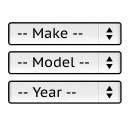
View plugin details ↗It will find products for selected make and model.
★ 5.0/5 (34)1,000+ active installations
- Version
- 1.0.12
- WordPress
- 4.7+
- Updated
- 20 Nov 2026
View plugin details ↗Elevate your checkout experience with enticing product suggestions and smart order bumps, all featuring attractive discounts
★ 5.0/5 (1)600+ active installations
- Version
- 1.0.22
- WordPress
- 5.0+
- PHP
- 7.4+
- Updated
- 13 Nov 2026
View plugin details ↗90+ Gutenberg Blocks & AI Website Builder with 1000+ Templates. Complete Page Builder, Popup Builder, Mega Menu, Form Builder & More. No Code.
★ 4.8/5 (90)9,000+ active installations
- Version
- 5.0.11
- WordPress
- 5.6+
- PHP
- 7.4+
- Updated
- 17 Nov 2026
View plugin details ↗WCBoost – Variation Swatches is the ultimate plugin to display WooCommerce product variations in style.
★ 4.8/5 (5)40,000+ active installations
- Version
- 1.1.5
- WordPress
- 4.5+
- PHP
- 7.0+
- Updated
- 13 Oct 2026
View plugin details ↗Display WordPress posts in beautiful grid, list, slider, and filter layouts. Works with Gutenberg, Elementor, Divi, and Shortcodes.
★ 4.8/5 (265)100,000+ active installations
- Version
- 7.9.11
- WordPress
- 4.5+
- PHP
- 7.4+
- Updated
- 11 Nov 2026
View plugin details ↗WordPress team plugin to showcase team members with grid, slider, and filterable layouts. Fully compatible with Elementor & Gutenberg.
★ 4.6/5 (66)10,000+ active installations
- Version
- 6.0.7
- WordPress
- 5.0+
- PHP
- 7.4+
- Updated
- 15 Nov 2026
View plugin details ↗Generate unlimited test orders and products for WooCommerce with realistic data. Perfect for testing, development, and performance optimization.
★ 5.0/5 (1)50+ active installations
- Version
- 1.5.0
- WordPress
- 5.9+
- PHP
- 5.6+
- Updated
- 23 Jul 2026
View plugin details ↗List products from WordPress on Amazon.
★ 3.9/5 (22)800+ active installations
- Version
- 2.9.3
- WordPress
- 6.2+
- Updated
- 25 Nov 2026
View plugin details ↗