Order Delivery Date And Time
By ThemeHigh
Order Delivery Date And Time plugin lets customers select delivery/pickup dates and times at checkout page.
★ 4.6/5 (19)1,000+ active installations
- Version
- 1.1.4
- WordPress
- 5.3+
- PHP
- 7.0+
- Updated
- 3 Sep 2026
WORDPRESS RESOURCES
Explore public plugin information from the official WordPress.org directory. Compare what a plugin does, its requirements and update history before adding it to your website.
Explore WordPress hosting →10,000 matching plugins reported by WordPress.org · Page 42 of 50
Source: WordPress.org
Data refreshed 21 Nov 2026 19:54 UTC
By ThemeHigh
Order Delivery Date And Time plugin lets customers select delivery/pickup dates and times at checkout page.
AI content writing assistant for WordPress with Gemini, ChatGPT, 9Router, agent workflows, SEO, media, automation, and live models.

By Jack K
PowerPack for LearnDash offers 42 modules you can activate in a click to power up your LearnDash LMS website.

By Scott Paterson
Easily add PayPal and Stripe to Contact Form 7. Accept credit card payments with Stripe & PayPal on your site today. Offical PayPal & Stripe Partner.
By Rodrigo Bogdanowicz
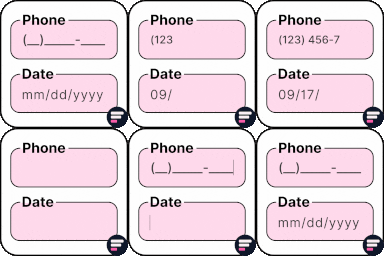
Apply input masks in Elementor form widget fields - phone, date, time, credit card, CPF, CNPJ, CEP & more for valid and error-free entries.
Build responsive WordPress and WooCommerce menus automatically from posts, pages, categories, product categories, taxonomies, and saved menus.

By Qode
Qi Addons for Elementor is a comprehensive library of 60+ custom, flexible & easily styled Elementor widgets developed by Qode Interactive.

By kubiq
Convert PNG, JPG and GIF images to WebP and speed up your web

By eatransform
Automatically convert keywords in your content into links. Simple, unlimited, and free.

By Brainstorm Force
Variation Swatches for WooCommerce replaces dropdowns with color, image & size swatches, helping shoppers decide faster and buy with confidence.

By GhozyLab
Gallery - Display your Wordpress galleries in a lightbox easily

By WCBoost
WCBoost – Variation Swatches is the ultimate plugin to display WooCommerce product variations in style.
CHOOSE WHAT YOUR WEBSITE NEEDS
Start with the task you need to solve. Compare features, WordPress and PHP requirements, update history and the author’s documentation. Test changes on a private copy and avoid adding several plugins for the same job.
This independent directory displays plugin information on WebFulHost and links to the official source. Packages are not mirrored or installed here. A plugin can include paid extensions or services with separate terms from its author.