

Automatically post and schedule your WordPress content to Facebook, X/Twitter, LinkedIn, Threads, Bluesky, and more social networks using Buffer.
★ 4.5/5 (126)7,000+ active installations
- Version
- 6.3.0
- WordPress
- 5.0+
- PHP
- 7.4+
- Updated
- 20 Nov 2026
WORDPRESS RESOURCES
Explore public plugin information from the official WordPress.org directory. Compare what a plugin does, its requirements and update history before adding it to your website.
Explore WordPress hosting →2,670 matching plugins reported by WordPress.org · Page 42 of 50
Source: WordPress.org
Data refreshed 21 Nov 2026 12:09 UTC
Automatically post and schedule your WordPress content to Facebook, X/Twitter, LinkedIn, Threads, Bluesky, and more social networks using Buffer.

By HT Plugins
JustTables is a Product Tables plugin for WooCommerce.

By Ankur
Import Word documents into WordPress while preserving links, lists, formatting, images, tables, and more.

By Jesús Amieiro
This plugin converts all images to grayscale and show the colored image on hover.

By miniOrange
Embed, manage, and sync Microsoft SharePoint and OneDrive documents, folders, lists, and files within WordPress pages, posts, or the media library.
Appointment booking calendar and scheduling plugin for services, events and meetings, with staff management, online payments and Google Calendar sync.

By VillaTheme
Transfer data from Taobao products to WooCommerce effortlessly.
Radio Station lets you build and manage a Show Schedule for a radio station or Internet broadcaster's WordPress website.
By SACHINRAJ CP
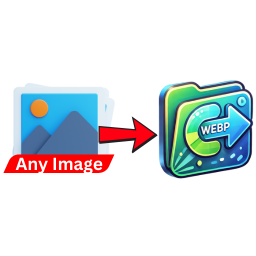
Automatically convert uploaded images (PNG, JPG, JPEG) to WebP format to enhance website performance and reduce load times.

By Creative-Solutions
Free WordPress text to speech audio player for accessibility. Add audio to posts with OpenAI, Gemini and Google Cloud voices. No API keys.

A bag of myCred addons for user engagement through WordPress & WooCommerce gamification. Get multiple free add-ons with one point rewards system.

By gregwisepops
Add Wisepops popups to your WordPress to effortlessly capture and engage web visitors and turn them into leads and happy customers.
CHOOSE WHAT YOUR WEBSITE NEEDS
Start with the task you need to solve. Compare features, WordPress and PHP requirements, update history and the author’s documentation. Test changes on a private copy and avoid adding several plugins for the same job.
This independent directory displays plugin information on WebFulHost and links to the official source. Packages are not mirrored or installed here. A plugin can include paid extensions or services with separate terms from its author.

