

Pixelcinch Image Optimizer
By M Tayyab Atta
Converts your Media Library images to compressed WebP, targeting roughly 100KB per image.
10+ active installations
- Version
- 2.7.0
- WordPress
- 5.6+
- PHP
- 7.4+
- Updated
- 11 Oct 2026
WORDPRESS RESOURCES
Explore public plugin information from the official WordPress.org directory. Compare what a plugin does, its requirements and update history before adding it to your website.
Explore WordPress hosting →2,290 matching plugins reported by WordPress.org · Page 42 of 50
Source: WordPress.org
Data refreshed 19 Nov 2026 17:26 UTC
By M Tayyab Atta
Converts your Media Library images to compressed WebP, targeting roughly 100KB per image.
By X-Raym
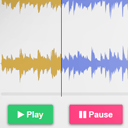
Customizable HTML5 Audio controller with waveform preview (mixed or split channels), using WordPress native audio and playlist shortcode.

By WPClever
WPC Smart Quick View allows users to get a quick look at products without opening the product page.
Turn your site into an installable app with offline browsing and unlimited web push notifications sent from your own Firebase project.

By webcrewcz
Find what changed before your WordPress site broke. A free activity timeline, detective scan, diagnostics, alerts, privacy tools and exports.

By nurullah2006
Convert JPEG/PNG images to WebP with bulk and automatic conversion tools, plus logs and stats.
Optimize image sizes, regenerate thumbnails, enable retina, convert to WebP/AVIF, or use cloud optimization. An essential image toolkit.
90+ Gutenberg Blocks & AI Website Builder with 1000+ Templates. Complete Page Builder, Popup Builder, Mega Menu, Form Builder & More. No Code.

By Karolina Vyskocilova
Adds Company & VAT numbers (IČO & DIČ & IČ DPH) to WooCommerce billing fields and verifies if data are correct.

By Neutrope Inc.
Save Contact Form 7 submissions to your database and manage them as leads in the WordPress admin (list, detail, status, notes, CSV export).
Build contact forms for your WordPress website in minutes through the Drag & Drop builder and Guided Emails for entries notifications.

By datafeedr
Build sets of products to import into your website.
CHOOSE WHAT YOUR WEBSITE NEEDS
Start with the task you need to solve. Compare features, WordPress and PHP requirements, update history and the author’s documentation. Test changes on a private copy and avoid adding several plugins for the same job.
This independent directory displays plugin information on WebFulHost and links to the official source. Packages are not mirrored or installed here. A plugin can include paid extensions or services with separate terms from its author.



