

Let buyers see paintings, prints and photos on their own wall in AR, at true scale. No app needed. Free for your first 5 artworks.
★ 5.0/5 (2)10+ active installations
- Version
- 1.21
- WordPress
- 5.8+
- PHP
- 7.4+
- Updated
- 8 Oct 2026
WORDPRESS RESOURCES
Explore public plugin information from the official WordPress.org directory. Compare what a plugin does, its requirements and update history before adding it to your website.
Explore WordPress hosting →1,446 matching plugins reported by WordPress.org · Page 42 of 50
Source: WordPress.org
Data refreshed 25 Nov 2026 20:52 UTC
Let buyers see paintings, prints and photos on their own wall in AR, at true scale. No app needed. Free for your first 5 artworks.
WordPress traffic analytics for live traffic, popular pages, bot tracking, UTM campaigns, 404 visits and SEO health checks.

By visionforgex
Connect your site to VisionForgeX in one click: your ad tag and ads.txt lines go in place by themselves, and you manage your ads from WordPress.

By Dibyandu Pal
Add a countdown page before file downloads with timer, ads, and fallback link using a simple shortcode.

By alongonda
Connects your website to Hotlead with its site token: banners in your ad spaces, or your own sales counted. No cookies.

By sliStudios Web Development
Cookie consent built US-first: Blocks trackers before they run, for CIPA defense, with a built-in tracker scanner. CCPA/CPRA and GDPR ready.

By iteearmah
Manage, rotate, track, and serve ads with geo-targeting, device targeting, zones, scheduling, and detailed analytics.
By ThemeHunk
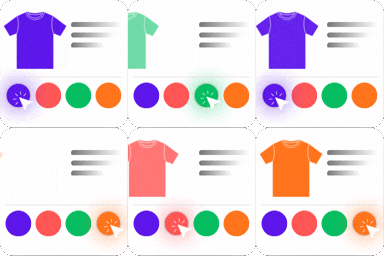
Variation Swatches for WooCommerce plugin will replace default swatches to professionally styled and colourful swatches.
Let Claude, ChatGPT or Gemini do what you can do in wp-admin, in any plugin. Direct MCP server, no middleman, no call limits, every change undoable.

By Wordpress Integration Services
Intranet and Extranet Portal for Office 365,Dynamics CRM and Other Third Party Identity Providers.
Show an exit popup or leaving notice when visitors click external links. Add nofollow, noopener, noreferrer & more rel attributes. Add icons.

By Event Calendar Newsletter
Add shortcode, block and Elementor widget functionality to The Events Calendar Plugin, so you can easily list and promote your events anywhere.
CHOOSE WHAT YOUR WEBSITE NEEDS
Start with the task you need to solve. Compare features, WordPress and PHP requirements, update history and the author’s documentation. Test changes on a private copy and avoid adding several plugins for the same job.
This independent directory displays plugin information on WebFulHost and links to the official source. Packages are not mirrored or installed here. A plugin can include paid extensions or services with separate terms from its author.


