Link your keywords to URLs automatically in every post, with short links that hide affiliate URLs and count their clicks.
★ 3.0/5 (10)600+ active installations
- Version
- 3.0.0
- WordPress
- 6.6+
- PHP
- 7.4+
- Updated
- 15 Nov 2026
View plugin details ↗WooCommerce integration with epaka.pl enabling quick creation of courier shipments directly from the store panel.
★ 3.0/5 (2)90+ active installations
- Version
- 1.8.5
- WordPress
- 5.0+
- PHP
- 7.4+
- Updated
- 24 Nov 2026
View plugin details ↗Show your team with blocks or shortcodes in Grid, Carousel, List, Isotope filter, and Org Chart layouts. Responsive, no code needed.
★ 4.7/5 (92)4,000+ active installations
- Version
- 4.0.0
- WordPress
- 6.6+
- PHP
- 7.4+
- Updated
- 25 Nov 2026
View plugin details ↗Turn any image into clickable hotspots. Unlimited images and hotspots, keyboard accessible, embedded with a block or shortcode.
★ 5.0/5 (1)70+ active installations
- Version
- 1.2.1
- WordPress
- 6.0+
- PHP
- 8.1+
- Updated
- 25 Nov 2026
View plugin details ↗90+ social & contact icons, 18 skins, 10 shapes, 17 hover effects. 100% local SVG – no CDN. Floating bar, menus, content, widget, block, shortcode.
0+ active installations
- Version
- 3.0.0
- WordPress
- 5.0+
- PHP
- 7.0+
- Updated
- 5 Nov 2026
View plugin details ↗Adds quick links in the WordPress admin bar for users of Bricks theme.
★ 5.0/5 (19)8,000+ active installations
- Version
- 1.2.1
- WordPress
- 6.0+
- PHP
- 8.0+
- Updated
- 21 Sep 2026
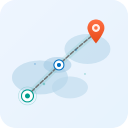
View plugin details ↗Display interactive animated tour routes with MapLibre, with customizable markers, colors, and animation controls.
0+ active installations
- Version
- 1.0.2
- WordPress
- 6.0+
- PHP
- 7.4+
- Updated
- 18 Sep 2026
View plugin details ↗This is a "satellite" plugin for the Basic Meeting List Toolbox (BMLT).
★ 5.0/5 (1)90+ active installations
- Version
- 3.11.6
- WordPress
- 6.2+
- PHP
- 8.1+
- Updated
- 20 Mar 2026
View plugin details ↗Write, send and track newsletters from WordPress. Block-based email editor, unlimited contacts and lists, sending through your host or SMTP.
★ 5.0/5 (18)1,000+ active installations
- Version
- 2.2.2
- WordPress
- 6.5+
- PHP
- 8.2+
- Updated
- 20 Nov 2026
View plugin details ↗Cookie consent plugin for managing visitor consent with Google Consent Mode v2, script blocking, content blockers, and optional integrations.
★ 4.4/5 (5)200+ active installations
- Version
- 3.4.3
- WordPress
- 6.2+
- PHP
- 7.4+
- Updated
- 25 Nov 2026
View plugin details ↗Appointment booking calendar and scheduling plugin for services, events and meetings, with staff management, online payments and Google Calendar sync.
★ 5.0/5 (3)500+ active installations
- Version
- 1.0.24
- WordPress
- 5.8+
- PHP
- 7.4+
- Updated
- 25 Nov 2026
View plugin details ↗Contains some helper classes to help you build custom forms.
★ 5.0/5 (2)70+ active installations
- Version
- 3.0.5
- WordPress
- 7.0+
- Updated
- 20 Oct 2026
View plugin details ↗