

Create interactive floating bubble menus to enhance site navigation and boost user engagement effortlessly.
★ 4.2/5 (9)1,000+ active installations
- Version
- 4.1.1
- WordPress
- 5.5+
- PHP
- 7.4+
- Updated
- 25 Aug 2026
WORDPRESS RESOURCES
Explore public plugin information from the official WordPress.org directory. Compare what a plugin does, its requirements and update history before adding it to your website.
Explore WordPress hosting →6,228 matching plugins reported by WordPress.org · Page 42 of 50
Source: WordPress.org
Data refreshed 23 Nov 2026 06:01 UTC
Create interactive floating bubble menus to enhance site navigation and boost user engagement effortlessly.

By iova.mihai
SliceWP is the powerful WordPress affiliate plugin that makes running your own affiliate program effortless. Track affiliate commissions, easily pay y …

A lightweight WordPress plugin for YouTube, YouTube Shorts, Vimeo, HTML5 video and audio, playlists, and brand-matched colors.
By Jelle Roorda
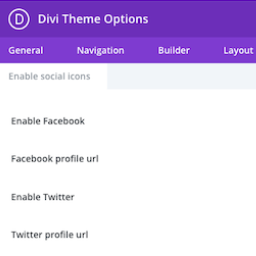
This plugin adds the ability to add more social icons to your website when using the Divi theme.

By FameThemes
From blank install to designer-built WordPress site in one click. Browse starter templates, preview them live, and import the one you love — pages, pl …

By add-ons.org
Allows you to add powerful Drag & Drop or choose Multiple Files Uploading area to your Elementor Forms.

By MiKa
Customize maps in your posts, pages, and widgets. GPX, KML, and more.

By Brainstorm Force
Lightweight SEO assistant for meta tags, schema and structured data, XML sitemaps, Open Graph previews, robots.txt, and Search Console.

By SuperPWA
SuperPWA helps you convert your WordPress website into a Progressive Web App instantly.
Video player block for Gutenberg – embed and play YouTube, Vimeo, and self-hosted HTML5 videos in a responsive, customizable player.
Import Word (.docx) and Markdown files as WordPress posts, pages or custom post types. Images, headings and tables kept. No copy-paste.

By Martin von Berg
Extend the REST-API to work with Wordpress Media-Library. Organize images in Folders. Add and Update images including Metadata and Posts using the ima …
CHOOSE WHAT YOUR WEBSITE NEEDS
Start with the task you need to solve. Compare features, WordPress and PHP requirements, update history and the author’s documentation. Test changes on a private copy and avoid adding several plugins for the same job.
This independent directory displays plugin information on WebFulHost and links to the official source. Packages are not mirrored or installed here. A plugin can include paid extensions or services with separate terms from its author.

