

Besan Block
By Joni Halabi
[Deprecated!] Add a responsive and accessible data chart block to posts and pages.
10+ active installations
- Version
- 1.4.1
- WordPress
- 5.0+
- PHP
- 7.0+
- Updated
- 17 Apr 2025
WORDPRESS RESOURCES
Explore public plugin information from the official WordPress.org directory. Compare what a plugin does, its requirements and update history before adding it to your website.
Explore WordPress hosting →1,339 matching plugins reported by WordPress.org · Page 42 of 50
Source: WordPress.org
Data refreshed 28 Nov 2026 13:46 UTC
By Joni Halabi
[Deprecated!] Add a responsive and accessible data chart block to posts and pages.

By themesawesome
Create Grid Portfolio, Masonry Portfolio, Carousel portfolio, Slider Portfolio and Other stunning portfolio template with this portfolio plugin for Wo …

By Peter Mukhortov
Syntax highlighting for the Classic editor's Text tab and the block editor's Code Editor, shortcodes included, using CodeMirror.

By shahin.live
For growing digital businesses tired of messy data — Shahin turns analytics, SEO and behavior into decision-ready clarity.

By sangarstudio
A cognitive adaptation layer for neurodivergent users: ADHD, dyslexia, autism and sensory sensitivity.
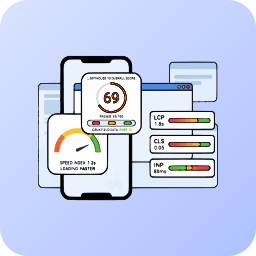
By MegaWix Technologies
Monitor and improve your Core Web Vitals (LCP, CLS, INP) using professional Lighthouse 10 analysis, completely managed via the Mega Plugin Hub.

By Ga Satrya
Show an open or closed call to action based on your weekly business hours.

By transactly
WooCommerce KPI dashboard with action items and performance reports. Plain-English recommendations to grow sales. No nags, no bundled plugins.

By @shift
Add server-verified passkey login to WordPress, customize the login screen, and place full or passkey-only login controls with shortcodes.

By desheelabs
A comprehensive content protection plugin to prevent copying, right-click, text selection, and image saving on your WordPress site.

By webdesigneckental
Virtual folders for the WordPress media library, plus folder-based galleries, slideshows and a lightbox. Files are never moved or renamed.
Organize the WordPress media library with folders, tags, AI auto-tagging, smart folders, per-folder permissions, and duplicate detection.
CHOOSE WHAT YOUR WEBSITE NEEDS
Start with the task you need to solve. Compare features, WordPress and PHP requirements, update history and the author’s documentation. Test changes on a private copy and avoid adding several plugins for the same job.
This independent directory displays plugin information on WebFulHost and links to the official source. Packages are not mirrored or installed here. A plugin can include paid extensions or services with separate terms from its author.
