
Simple Taxonomy Ordering
By Evan Herman
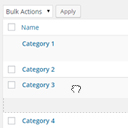
Quickly and easily reorder taxonomy terms with an easy to use and intuitive drag and drop interface.
★ 4.9/5 (28)10,000+ active installations
- Version
- 2.3.4
- WordPress
- 4.4+
- Updated
- 22 Mar 2023
WORDPRESS RESOURCES
Explore public plugin information from the official WordPress.org directory. Compare what a plugin does, its requirements and update history before adding it to your website.
Explore WordPress hosting →2,073 matching plugins reported by WordPress.org · Page 42 of 50
Source: WordPress.org
Data refreshed 28 Nov 2026 19:09 UTC
By Evan Herman
Quickly and easily reorder taxonomy terms with an easy to use and intuitive drag and drop interface.

By Xylus Themes
Import Eventbrite Events into WordPress website and/or Event Calendar. Nice Display with shortcode & Event widget.
Connect Claude or ChatGPT to WooCommerce and WordPress over MCP. Manage products, orders, SEO; read Google Analytics and Ads. Approve every change.
AI alt text generator for WordPress, WooCommerce & Yoast. Bulk-fix missing alt tags in minutes — boost image SEO and WCAG accessibility.

By SoftHopper
Build your header, footer, single post, archive and search templates with Elementor, and choose exactly where each one shows on your site.

By Ryan Edmunds
Create and manage custom post types instantly. Each CPT gets its own shortcode.

By tychesoftwares
Arconix FAQ provides an easy way to add FAQ items to your website.

By DELUCKS
The only SEO plugin from Germany for holistic search engine optimization with ChatGPT and Google APIs.

By Cool Plugins
Translate your WordPress site into multiple languages with AI. Fast, simple, SEO-friendly multilingual setup.

By George Gkouvousis
Expand hidden content without a page refresh. 100% SEO-friendly and crawlable, now with accordion/FAQ schema, content locker, teaser paywall, AI summa …

By Nazmun Sakib
WooCommerce Ajax Search with instant results, plus a WooCommerce search plugin with typo tolerance, SKU, GTIN and attribute search.

By Xfinitysoft
Quickly duplicate posts/pages with built‑in Find & Replace, or bulk‑create new posts from a CSV/TXT keyword list. Fast, safe, and SEO‑friendly.
CHOOSE WHAT YOUR WEBSITE NEEDS
Start with the task you need to solve. Compare features, WordPress and PHP requirements, update history and the author’s documentation. Test changes on a private copy and avoid adding several plugins for the same job.
This independent directory displays plugin information on WebFulHost and links to the official source. Packages are not mirrored or installed here. A plugin can include paid extensions or services with separate terms from its author.

