

Block Widgets Monster
By RGB Lab
Quick and easy testing of multiple WordPress and/or WooCommerce block/legacy widgets. Not intended for production use.
★ 5.0/5 (2)30+ active installations
- Version
- 1.0.7
- WordPress
- 6.8+
- PHP
- 7.4+
- Updated
- 23 Sep 2026
WORDPRESS RESOURCES
Explore public plugin information from the official WordPress.org directory. Compare what a plugin does, its requirements and update history before adding it to your website.
Explore WordPress hosting →10,000 matching plugins reported by WordPress.org · Page 42 of 50
Source: WordPress.org
Data refreshed 22 Nov 2026 07:33 UTC
By RGB Lab
Quick and easy testing of multiple WordPress and/or WooCommerce block/legacy widgets. Not intended for production use.
By Tauhidpro
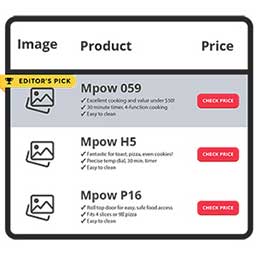
NicheTable is a simple and flexible table block plugin for the WordPress block editor. It allows you to create responsive product comparison tables …

By Mike McAlister
Create custom dropdown & mobile menus using WordPress blocks. Design rich, responsive navigation with any block content in the block editor.

By Brecht
Display a fully customizable visual link preview for any internal or external link.

By threadi
Extends the list block in Block Editor with options for numbered ordered lists such as 1.1, 1.2, 1.3, 2.1 etc.!

By quadlayers
WhatsApp Chat🔥 allows you to enhance customer engagement! Integrate "WhatsApp" or "WhatsApp Business" with a single click.
Easily add code snippets in WordPress. Insert header & footer scripts, add PHP code snippets with conditional logic, insert ads pixel code, and more.

By nasir179125
A collection of customizable elements for WPBakery Page Builder.

By OsomPress
A Block to display a list of custom post type entries.
Disable Source(Ctrl+U), Disable Right click, Disable F12 functional key, and Disable save the page(Ctrl+S) and Content Protection of your WordPress We …

By George Gkouvousis
Expand hidden content without a page refresh. 100% SEO-friendly and crawlable, now with accordion/FAQ schema, content locker, teaser paywall, AI summa …
Build responsive, sortable and searchable tables with drag & drop. Import CSV, Excel or JSON. Create data, pricing, comparison and product tables.
CHOOSE WHAT YOUR WEBSITE NEEDS
Start with the task you need to solve. Compare features, WordPress and PHP requirements, update history and the author’s documentation. Test changes on a private copy and avoid adding several plugins for the same job.
This independent directory displays plugin information on WebFulHost and links to the official source. Packages are not mirrored or installed here. A plugin can include paid extensions or services with separate terms from its author.


