🎯 Never miss scheduled posts again! Automatically publishes missed scheduled posts on time, every time. Zero bloat, single purpose, reliable.
★ 5.0/5 (3)6,000+ active installations
- Version
- 2.4
- WordPress
- 5.3+
- PHP
- 7.0+
- Updated
- 3 Nov 2026
View plugin details ↗Allows admins to log in as non-admin users from the admin bar or the Users page.
10+ active installations
- Version
- 1.1
- WordPress
- 5.5+
- Updated
- 28 Oct 2026
View plugin details ↗Generate AI-friendly LLMS.txt files for your WordPress site with modern UI/UX and comprehensive bot analytics.
★ 5.0/5 (1)0+ active installations
- Version
- 1.1.2
- WordPress
- 5.0+
- PHP
- 7.4+
- Updated
- 24 Aug 2026
View plugin details ↗Display your scheduled and future posts on the frontend without generating 404 links. Show visitors what's coming next.
★ 4.0/5 (1)30+ active installations
- Version
- 1.3.2
- WordPress
- 5.8+
- PHP
- 7.4+
- Updated
- 18 Aug 2026
View plugin details ↗LDAP/Active Directory authentication for WordPress on shared hosting. No PHP extension required. Supports Azure AD, OpenLDAP, and more.
★ 4.9/5 (39)40+ active installations
- Version
- 6.2.2
- WordPress
- 5.0+
- PHP
- 5.6.0+
- Updated
- 27 Aug 2026
View plugin details ↗SpectroCoin Payments for WooCommerce is a Wordpress plugin that allows to accept cryptocurrencies at WooCommerce-powered online stores.
★ 4.0/5 (4)10+ active installations
- Version
- 2.1.6
- WordPress
- 6.2+
- PHP
- 7.4+
- Updated
- 14 Aug 2026
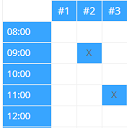
View plugin details ↗Create configurable occupancy schedules and let visitors view, request and manage bookings directly in the WordPress frontend.
★ 5.0/5 (5)100+ active installations
- Version
- 1.7.0
- WordPress
- 4.9+
- PHP
- 5.3+
- Updated
- 6 Nov 2026
View plugin details ↗Control how your content looks when shared on Facebook, X, LinkedIn, Pinterest and Slack.
★ 3.3/5 (8)3,000+ active installations
- Version
- 2.0.0
- WordPress
- 5.0+
- PHP
- 7.0+
- Updated
- 20 Oct 2026
View plugin details ↗Load pages without a full reload: AJAX navigation with loaders, page transitions, SEO metadata sync, accessibility and safe fallbacks.
★ 3.0/5 (2)10+ active installations
- Version
- 2.0.0
- WordPress
- 6.0+
- PHP
- 7.4+
- Updated
- 30 Oct 2026
View plugin details ↗Enhance your WordPress Dashboard with Show Post ID with Sorting, a plugin to display, sort, and bulk copy Post IDs for Posts, Pages, and Custom Post T …
★ 5.0/5 (1)200+ active installations
- Version
- 2.0.0
- WordPress
- 4.0+
- PHP
- 5.6+
- Updated
- 22 Oct 2024
View plugin details ↗A calm WordPress second opinion that shows what needs attention, what changed, and what to look at next.
★ 5.0/5 (1)0+ active installations
- Version
- 1.17.0
- WordPress
- 6.0+
- PHP
- 8.1+
- Updated
- 26 Sep 2026
View plugin details ↗Sell memberships in multiple currencies - assign a currency per level, let visitors switch with a single click, and track revenue by currency.
100+ active installations
- Version
- 1.0.0
- WordPress
- 5.0+
- PHP
- 7.4+
- Updated
- 27 Apr 2026
View plugin details ↗