Lightweight, scalable and full-featured event listings & management plugin for managing events & tickets from the Frontend and Backend.
★ 4.0/5 (252)20,000+ active installations
- Version
- 3.4.2
- WordPress
- 6.5+
- PHP
- 7.6+
- Updated
- 30 Oct 2026
WORDPRESS RESOURCES
Explore public plugin information from the official WordPress.org directory. Compare what a plugin does, its requirements and update history before adding it to your website.
Explore WordPress hosting →8,148 matching plugins reported by WordPress.org · Page 42 of 50
Source: WordPress.org
Data refreshed 29 Nov 2026 20:05 UTC
Lightweight, scalable and full-featured event listings & management plugin for managing events & tickets from the Frontend and Backend.

By WPClever
Ultimate solution to manage WooCommerce product size charts.

By VillaTheme
Transfer data from Taobao products to WooCommerce effortlessly.

By Brainstorm Force
Gutenberg blocks for existing Spectra websites. Maintained, stable, and fully supported — no action needed on your part.

By Steve Truman
Set Product Page Rules, Hide Add to Cart, Hide Price, Show Email Inquiry, Filter Rules by Roles for logged in users. 100% Mobile responsive Email Inqu …
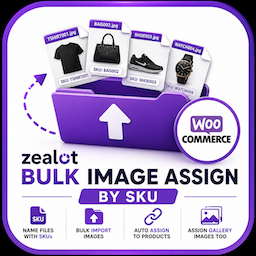
Fill entire product galleries and variation images from your media library by SKU. Preview every match before anything is written, and undo it after.

By Arshid
Quick View For WooCommerce plugin allows the customers to have a brief overview of every product in a light box.
Add PayPal Pro and PayPal Checkout to WooCommerce. Accept credit cards on-site, offer PayPal buttons, and sell recurring PayPal subscriptions.

By Md Abul Bashar
Accept manual QR wallet payments in WooCommerce: bKash, Nagad, Paytm, PhonePe, eSewa, Khalti, GCash, M-Pesa and 20+ more. No API needed.

By Misha Rudrastyh
Allows you to sync stock of the same products across different WooCommerce stores.
Catalog Booster for WooCommerce lets you modify the standard layout, disable sales, transform e-commerce into simple & beautiful catalog.

By acowebs
The Product Quick View plugin enables your customers to get an overview of the WooCommerce products without being directed to the detail page.
CHOOSE WHAT YOUR WEBSITE NEEDS
Start with the task you need to solve. Compare features, WordPress and PHP requirements, update history and the author’s documentation. Test changes on a private copy and avoid adding several plugins for the same job.
This independent directory displays plugin information on WebFulHost and links to the official source. Packages are not mirrored or installed here. A plugin can include paid extensions or services with separate terms from its author.