

Build responsive WordPress and WooCommerce menus automatically from posts, pages, categories, product categories, taxonomies, and saved menus.
★ 5.0/5 (2)50+ active installations
- Version
- 1.0.0
- WordPress
- 6.0+
- PHP
- 7.4+
- Updated
- 23 May 2026
WORDPRESS RESOURCES
Explore public plugin information from the official WordPress.org directory. Compare what a plugin does, its requirements and update history before adding it to your website.
Explore WordPress hosting →7,201 matching plugins reported by WordPress.org · Page 43 of 50
Source: WordPress.org
Data refreshed 22 Nov 2026 15:45 UTC
Build responsive WordPress and WooCommerce menus automatically from posts, pages, categories, product categories, taxonomies, and saved menus.
By miabou
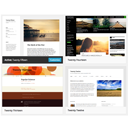
Select different Themes for one or more WordPress Pages, Posts or other non-Admin pages. Or Site Home.
AI-powered email marketing automation plugin for WordPress & WooCommerce - capture leads, create campaigns, and automate workflows with AI assistance.

By Debuggers Studio
Marquee Addons is a smooth video, text, image, and testimonial marquee carousel loop plugin for Elementor on WordPress

By Aleksandar Urošević
Easy add customizable moving or static ticker tapes with stock information for custom stock symbols.

By InDesign Media
Responsive image popups for WordPress with display rules, WooCommerce support, scheduling, GTM/GA4 tracking, and a modern admin UI.

By Sonal S Sinha
Live demo content can be imported quickly in just one click including all widgets and settings.

By Papan Biswas
Inline visual translator for WordPress with multi-language support, media translation, SEO URLs, and high-performance JSON caching.
Shopify-style WooCommerce checkout that lifts conversions. Free express payments (Apple Pay, Google Pay, PayPal) and address autocomplete.

By TMM Technology
Resize large photos automatically before they reach WordPress. Reduce upload size and server processing with browser-side JPEG and PNG resizing.
The one-stop platform for even stronger customer relations. Bolster your customer support with its live chat, chatbot, and knowledge base software.

By Manny Rodrigues
Conveniently select Gravity Form CSS Ready Classes from your form fields Appearance tab.
CHOOSE WHAT YOUR WEBSITE NEEDS
Start with the task you need to solve. Compare features, WordPress and PHP requirements, update history and the author’s documentation. Test changes on a private copy and avoid adding several plugins for the same job.
This independent directory displays plugin information on WebFulHost and links to the official source. Packages are not mirrored or installed here. A plugin can include paid extensions or services with separate terms from its author.


