Secure WooCommerce payments with Multibanco, MB WAY, Credit card, Apple Pay, Google Pay, Payshop, and PIX via ifthenpay’s payment gateway.
★ 5.0/5 (21)8,000+ active installations
- Version
- 12.2.0
- WordPress
- 6.4+
- PHP
- 7.4+
- Updated
- 22 Oct 2026
WORDPRESS RESOURCES
Explore public plugin information from the official WordPress.org directory. Compare what a plugin does, its requirements and update history before adding it to your website.
Explore WordPress hosting →10,000 matching plugins reported by WordPress.org · Page 43 of 50
Source: WordPress.org
Data refreshed 23 Nov 2026 14:45 UTC
Secure WooCommerce payments with Multibanco, MB WAY, Credit card, Apple Pay, Google Pay, Payshop, and PIX via ifthenpay’s payment gateway.

By Sridhar Katakam
Adds quick links in the WordPress admin bar for users of Bricks theme.
Add options (addons) to your WooCommerce products so your customers can personalize their products. Product forms for everyone!

All-in-One Sticky Anything easily creates click to call, fixed widgets, sticky elements, sticky header, menu, sidebar, social icons & cookie consent.

By Michael Weiner
This plugin works with The Events Calendar by Modern Tribe. It adds an event's location information to the tooltip on the monthly calendar view.

By YITHEMES
Let your customers buy products before they are released and generate cash flow in advance to cover costs.

By OsomPress
The Osom Author Pro plugin creates a library which allows you to add books to any WordPress theme.

By Dear
This Breadcrumb will show the permalink url, also clickable all part
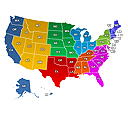
Create engaging Interactive United States Maps in WordPress for free. It's easy to install, simple, and highly customizable.

By wpformation
Rank in AI, not just in Google. E-E-A-T schemas, GEO citability score, llms.txt and AI Crawler Firewall for WordPress.

By Narinder Singh
Event countdown timer for The Events Calendar. Show a countdown to upcoming events with a shortcode, block, Elementor widget or sticky floating bar.

By mmrs151
Display prayer time in any screen, in any language and many more.
CHOOSE WHAT YOUR WEBSITE NEEDS
Start with the task you need to solve. Compare features, WordPress and PHP requirements, update history and the author’s documentation. Test changes on a private copy and avoid adding several plugins for the same job.
This independent directory displays plugin information on WebFulHost and links to the official source. Packages are not mirrored or installed here. A plugin can include paid extensions or services with separate terms from its author.