
WP Telegram Chat Widget
By Ninja Team
Add a Telegram chat button to your website. Quick, easy, no coding needed.
100+ active installations
- Version
- 1.2
- WordPress
- 3.0+
- Updated
- 23 Aug 2026
WORDPRESS RESOURCES
Explore public plugin information from the official WordPress.org directory. Compare what a plugin does, its requirements and update history before adding it to your website.
Explore WordPress hosting →3,007 matching plugins reported by WordPress.org · Page 43 of 50
Source: WordPress.org
Data refreshed 24 Nov 2026 16:23 UTC
By Ninja Team
Add a Telegram chat button to your website. Quick, easy, no coding needed.
Chattrn is an AI-powered customer support omnichannel platform for WooCommerce and WordPress websites.

By theappsfactory
Live chat bubble on every page, answered from your phone. Create your Hooky account from WordPress; the AI agent reads your WooCommerce catalog.

By WANotifier
Send WhatsApp notifications from Contact Form 7, Gravity Forms, WPForms, and 6 more form plugins using WhatsApp Business API

By felixxvelarde
AI knowledge engine for very large WordPress sites with hundreds or thousands of pages.

By platkadigital
Add the Chatessa live chat + AI chatbot to your site in one click, with secure user identity and WooCommerce customer context.
By Roland Murg
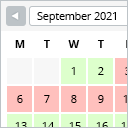
This booking calendar shows when something is booked or available. Use it to show when your holiday home is available for rent, for example.
HappyAddons packs Header Footer Builder, Megamenu, Single Post, Archive Page, & 500+ Ready Templates into one powerful Elementor Addons plugin.

By videowhisper
Add private 1-to-1 video call rooms and random video chat to WordPress with browser-based WebRTC and shareable room links.
Live chat, a helpdesk and an AI chatbot that run on your own site. Conversations stay in your database. Bring your own keys.

By moveaddons
Move Addons is a WordPress plugin for Elementor page builder, is a powerful tool that helps you to make almost every possible customization to your we …

By The Generation
Supercharge your WooCommerce Store with powerful features to pay via Svea Checkout!
CHOOSE WHAT YOUR WEBSITE NEEDS
Start with the task you need to solve. Compare features, WordPress and PHP requirements, update history and the author’s documentation. Test changes on a private copy and avoid adding several plugins for the same job.
This independent directory displays plugin information on WebFulHost and links to the official source. Packages are not mirrored or installed here. A plugin can include paid extensions or services with separate terms from its author.