Supercharge your website with our powerful webinar plugin! Host engaging live webinars and run automated evergreen webinars effortlessly.
★ 4.1/5 (40)800+ active installations
- Version
- 1.33.32
- WordPress
- 5.3+
- PHP
- 7.4.0+
- Updated
- 16 Nov 2026
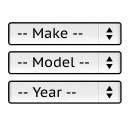
View plugin details ↗It will find products for selected make and model.
★ 5.0/5 (34)1,000+ active installations
- Version
- 1.0.12
- WordPress
- 4.7+
- Updated
- 20 Nov 2026
View plugin details ↗RentSyst - this plugin is suitable for the car rental business, which is designed to organize, optimize and simplify the work of the company.
★ 4.3/5 (3)100+ active installations
- Version
- 2.1.13
- WordPress
- 6.0+
- PHP
- 7.0+
- Updated
- 17 Nov 2026
View plugin details ↗This plugin adds some cool features to the Pen theme.
★ 5.0/5 (6)2,000+ active installations
- Version
- 1.1.7
- WordPress
- 4.8+
- PHP
- 5.6+
- Updated
- 1 Aug 2025
View plugin details ↗Gallery - Display your Wordpress galleries in a lightbox easily
★ 4.7/5 (106)10,000+ active installations
- Version
- 1.0.0.45
- WordPress
- 3.3+
- Updated
- 2 Sep 2026
View plugin details ↗Restrict access for selected user roles unless they accept the Terms and Conditions. Ensure users accept your terms before accessing the site.
★ 5.0/5 (1)10+ active installations
- Version
- 1.2.4
- WordPress
- 5.0+
- PHP
- 7.2+
- Updated
- 14 Jul 2025
View plugin details ↗Add custom fields to WordPress user profiles and WooCommerce forms. Easily collect and display extra user information using a simple interface.
★ 4.6/5 (15)1,000+ active installations
- Version
- 1.3.7
- WordPress
- 5.6+
- Updated
- 8 Sep 2026
View plugin details ↗Easily Create a Secure Document Library with Filr
★ 4.6/5 (18)700+ active installations
- Version
- 1.2.20
- WordPress
- 3.5+
- PHP
- 7.4+
- Updated
- 19 Nov 2026
View plugin details ↗Plugin ongkos kirim WooCommerce: ongkir real-time 13+ kurir, cek ongkir, cetak resi otomatis, COD & subsidi ongkir. Tanpa API pihak ketiga.
★ 4.6/5 (51)600+ active installations
- Version
- 9.3.0
- WordPress
- 6.8+
- PHP
- 7.4+
- Updated
- 16 Nov 2026
View plugin details ↗
By Wordpress Integration Services
Intranet and Extranet Portal for Office 365,Dynamics CRM and Other Third Party Identity Providers.
★ 5.0/5 (5)40+ active installations
- Version
- 1.7
- WordPress
- 3.5.2+
- PHP
- 5.6.36+
- Updated
- 8 Sep 2025
View plugin details ↗CubeWP is an end-to-end dynamic content framework for WordPress to help you shrink time and cut cost of development up to 90%.
★ 4.8/5 (12)3,000+ active installations
- Version
- 1.1.33
- WordPress
- 6.5+
- PHP
- 7.4+
- Updated
- 23 Nov 2026
View plugin details ↗
By Elliot Sowersby / RelyWP
WooCommerce Points and Rewards plugin. Create a simple but powerful loyalty program. Reward purchases, referrals, and much more.
★ 5.0/5 (7)400+ active installations
- Version
- 3.1.1
- WordPress
- 6.2+
- PHP
- 7.4+
- Updated
- 6 Nov 2026
View plugin details ↗