Essential Content Types allows you to feature the impressive content through different content/post types on your website just the way you want it.
★ 3.7/5 (3)20,000+ active installations
- Version
- 2.7
- WordPress
- 5.9+
- PHP
- 7.4+
- Updated
- 16 Nov 2026
View plugin details ↗Add interactive maps to WordPress with clickable regions, custom colors, links and tooltips. Embed world, country and regional maps with a shortcode.
★ 4.6/5 (45)4,000+ active installations
- Version
- 1.7.1.9
- WordPress
- 3.3+
- Updated
- 26 Nov 2026
View plugin details ↗Event Tickets allows your visitors to RSVP and buy tickets to events on your site. Also works seamlessly with The Events Calendar.
★ 3.5/5 (237)90,000+ active installations
- Version
- 5.31.2
- WordPress
- 6.9+
- PHP
- 7.4+
- Updated
- 25 Nov 2026
View plugin details ↗The Best Ajax Live Search and Filter for WordPress. Live suggestions, Custom Post types, Custom fields, Categories, WooCommerce & Elementor support
★ 4.8/5 (267)70,000+ active installations
- Version
- 4.14.8
- WordPress
- 3.5+
- PHP
- 7.4+
- Updated
- 24 Nov 2026
View plugin details ↗A simple, powerful and easy-to-use plugin that will help you to manage multilingual content in a multisite WordPress installation.
★ 4.8/5 (99)3,000+ active installations
- Version
- 3.1.0
- WordPress
- 6.1+
- PHP
- 7.4+
- Updated
- 31 Oct 2026
View plugin details ↗Create clean, complete, and up-to-date sitemaps for your WordPress website automatically.
★ 4.7/5 (55)6,000+ active installations
- Version
- 4.6.2
- WordPress
- 6.0+
- PHP
- 7.0+
- Updated
- 23 Apr 2026
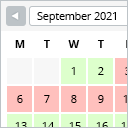
View plugin details ↗This booking calendar shows when something is booked or available. Use it to show when your holiday home is available for rent, for example.
★ 4.8/5 (227)10,000+ active installations
- Version
- 2.0.16
- WordPress
- 4.7+
- PHP
- 5.6+
- Updated
- 29 Jun 2026
View plugin details ↗Persian date support for WordPress and WooCommerce
★ 4.6/5 (131)100,000+ active installations
- Version
- 6.6.1
- WordPress
- 5.3+
- PHP
- 7.4+
- Updated
- 26 Nov 2026
View plugin details ↗Organize thousands of WordPress media files in folders / categories with ease.
★ 4.7/5 (1,126)200,000+ active installations
- Version
- 6.5.9
- WordPress
- 3.0+
- PHP
- 7.4+
- Updated
- 13 Oct 2026
View plugin details ↗Unlimited appointments, booking calendars, and notifications. Powerful appointment booking plugin and booking system. Start scheduling for free today!
★ 5.0/5 (155)50,000+ active installations
- Version
- 1.6.13.9
- WordPress
- 5.1+
- PHP
- 7.4+
- Updated
- 19 Nov 2026
View plugin details ↗
By Sunlime Web Innovations GmbH
This plugin extends WooCommerce and allows exporting orders to the PLC-portal of the Austrian Post.
★ 5.0/5 (4)10+ active installations
- Version
- 1.5.0
- WordPress
- 6.2+
- PHP
- 7.4+
- Updated
- 24 Nov 2026
View plugin details ↗Awesome Share Button
★ 4.1/5 (17)1,000+ active installations
- Version
- 2.1.14
- WordPress
- 4.1+
- Updated
- 8 Jun 2026
View plugin details ↗